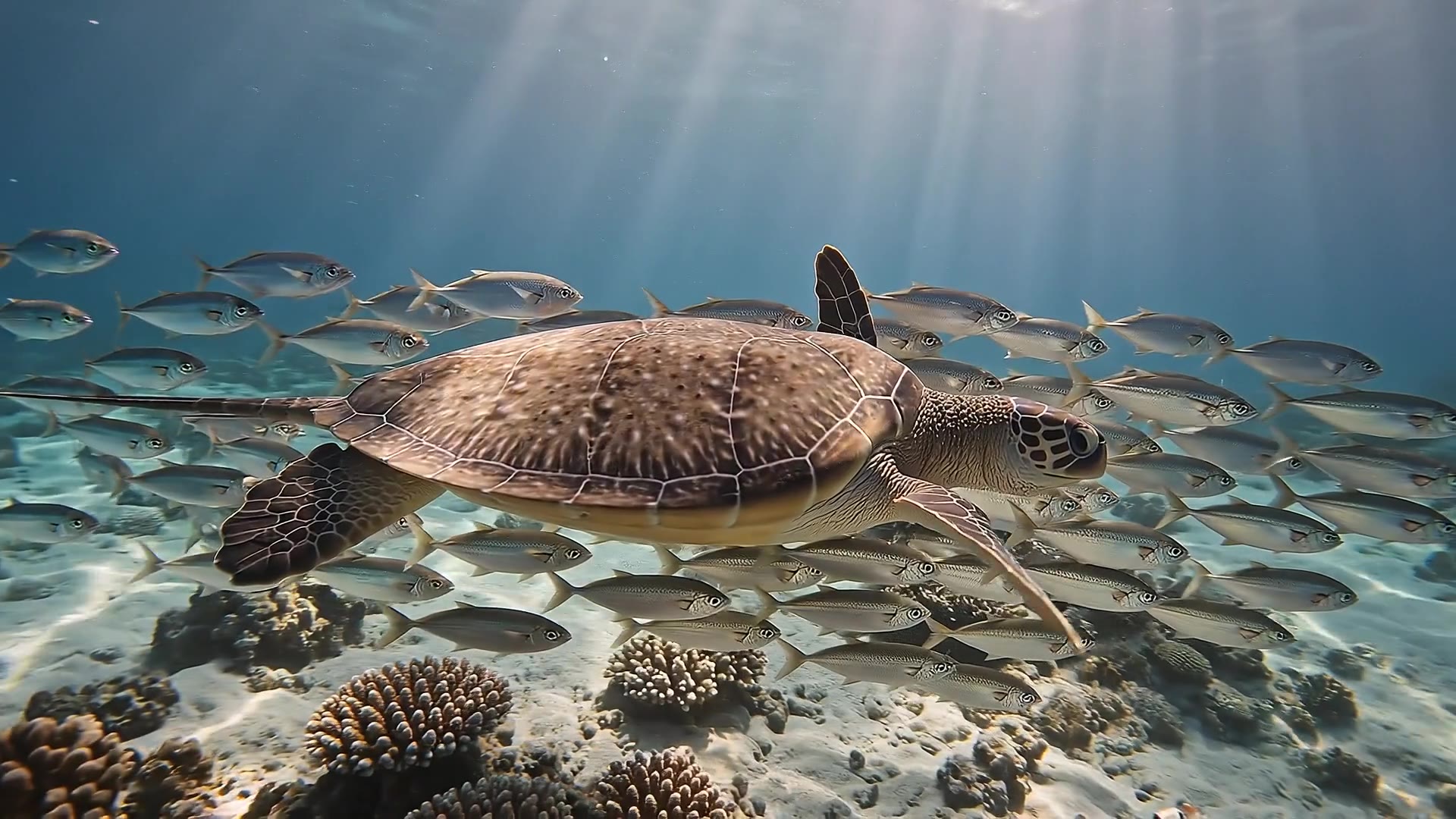
Underwater at sunrise: light shafts sweep across a coral reef as a sea turtle glides through a school of silver fish that parts around it like a curtain. A ray lifts from the sand in a slow wingbeat of silt. The turtle rises toward the glittering surface and breaks it into the sun. Muffled underwater ambience, then one clear breath.
时长指的是整个视频:DreamBench 会规划场景,用 Veo 3.1 生成每个场景并拼接起来。点击“用 Veo 3.1 创作”,会打开 Film Studio,并带上你的提示词和所有设置。
示例
在 DreamBench 上用 Veo 3.1 制作
已发布的模板,每个都附有生成它的提示词。可以直接使用,也可以改成你自己的版本。
1080P · 16:9 · 15S · 声音
Underwater at sunrise: light shafts sweep across a coral reef as a sea turtle glides through a school of silver fish that parts around it like a curtain. A ray lifts from the sand in a slow wingbeat of silt. The turtle rises toward the glittering surface and breaks it into the sun. Muffled underwater ambience, then one clear breath.
720P · 16:9 · 10S · 声音
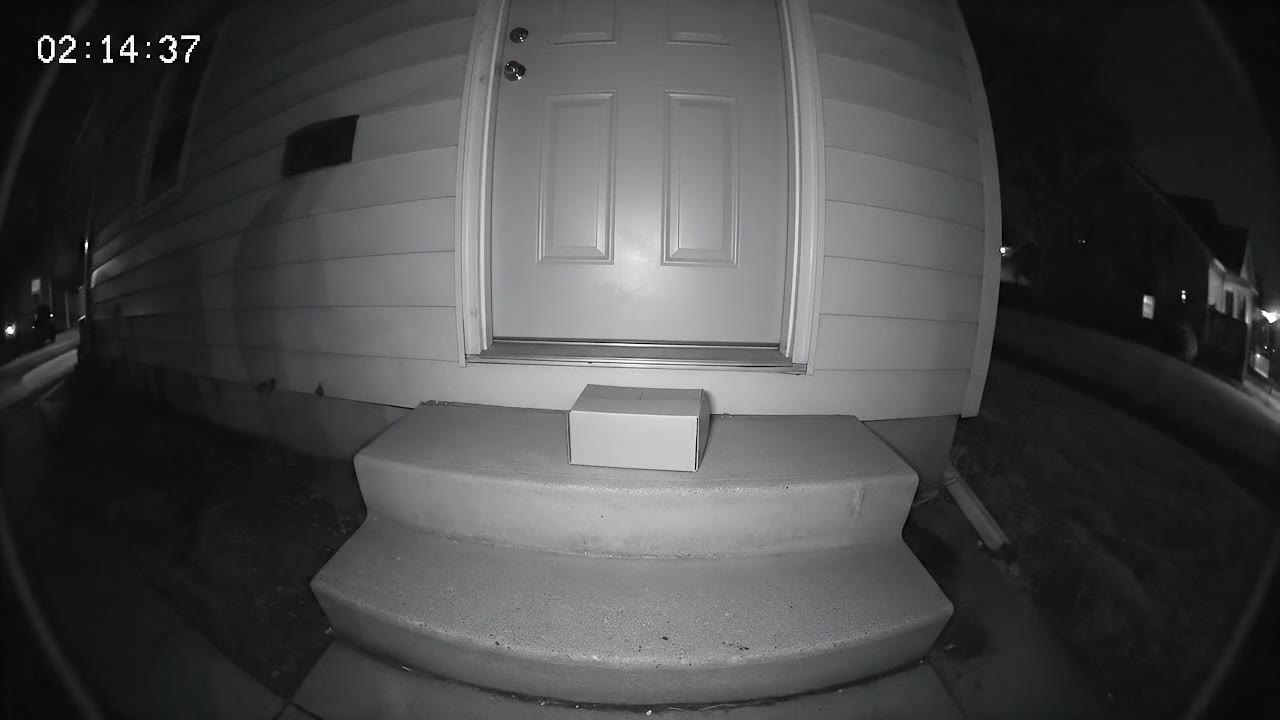
Security camera footage from a fixed porch camera at night — grainy black-and-white infrared, a wide fisheye view of a front door, two steps and a delivered parcel, a timestamp in the top corner reading exactly "02:14:37". Nothing moves. Then a raccoon waddles into frame from the left, sniffs the parcel, looks straight up at the camera with glowing eyes, and drags the box off the step one determined tug at a time. The camera never moves; the picture stays low-resolution, noisy and slightly stuttering. No music — the hum of the night and the scrape of cardboard on concrete.
Google 表示全面支持英文提示词,尚未评估其他语言,不过其他语言或许也可用。要获得最可靠的结果,请用英文写提示词;如果角色要说另一种语言,就注明语言,并用那种语言写台词,但要接受台词的表现不那么确定。DreamBench 自己的页面和创作面板支持 6 种语言;模型的理解能力则取决于 Google。
怎样写好 Veo 3.1 的提示词?
按 Google 的顺序描述一个镜头:景别和运镜、主体、动作、环境,然后是光线和风格。接着用单独的句子写声音:带引号并指明说话人的台词、音效和环境音。用平实、具体的词语,每个片段一个主要动作,写你想要的,而不是你不想要的,比如写“一条空荡的街道”,而不是“没有人”。
Veo 3.1 能把图片变成视频吗?
能。Google 的 Veo 3.1 可以把你提供的图片作为首帧,让它动起来。在 DreamBench 上,请在 Film Studio 中把照片作为参考图上传:在 Veo 3.1 上,它会作为参考设定图引导每个场景,让你的人物、宠物或产品出现在场景中;在 Fast 和 Lite 上,DreamBench 会根据它制作首帧,再由模型让首帧动起来。“视频”页面只根据文字生成。
Google 支持:在自己的工具和 API 中,Veo 3.1 及其 Fast 和 Lite 版本可以生成从一张图片开始、到另一张图片结束的片段,中间的运动根据提示词生成。DreamBench 的创作面板没有尾帧槽位。在 DreamBench 上,Fast 和 Lite 会以根据你的参考图制作的画面作为每个场景的开头,场景在哪里结束,则写在它的提示词里。
Veo 3.1 生成的视频有水印吗?
Google 会给用 Veo 生成的视频加上 SynthID,这是嵌在画面中的隐形水印,用来标识视频由 AI 生成,Google 也提供了检测它的方法。你看不到它,它也不会改变视频的观感。在 DreamBench 上,Starter 套餐的视频还带有一个可见的小 DreamBench 水印,Plus、Ultra 和 Studio 套餐会去除该水印。