Skip to content

18 video models · 6 image models · one studio

AI video models, side by side

There isn’t one model for every video: the right one depends on what yours needs. DreamBench has 18 video models and 6 image models in one studio. Filter them by sound, clip length, resolution and credits, play the clips they have made here, and put two or three side by side before you create.

  • Seedance 2.5
  • Seedance 2.0
  • Veo 3.1
  • Kling 4.0
  • Kling 3.0
  • Wan 3.0
  • Wan 2.7
  • Grok Imagine 1.5
  • MiniMax H3
  • HappyHorse 1.1
  • LTX-2.3
  • Vidu Q2
  • GPT Image 2.5
  • GPT Image 2
  • Seedream 5.0
  • Nano Banana 2

Which model fits

Which AI video model suits your video?

Start from what the video needs. Each list names the models that fit it on DreamBench, and why.

For dialogue

These models’ pages are about speech: characters who say their lines, with lips in time.

And 2 more.

For one long take

These make up to 30 seconds in one generation, long enough for a moment to play out without a cut.

Show them in the finder

For product shots with legible text

Labels, signs and lettering that read: these models’ pages say they handle words in the picture.

And 1 more.

On a budget

These take the fewest credits for a 10-second 720p video with sound in Film Studio. Seedance 2.5 also renders 480p, to try an idea first.

Show them in the finder

With your own reference pictures

Every model can start from your pictures: DreamBench draws each clip’s opening frame from them. These take them directly, on the clip itself.

Show them in the finder

For a prompt sent as written

On the Video page your prompt goes straight to the model, one clip at a time, with no scene plan. These models are on it; every model is in Film Studio.

And 5 more. Show them in the finder

Model finder

Find the model for your video

Pick what your video needs and the list narrows as you go. Every price is what the composer quotes for a 10-second video with sound in Film Studio.

What your video needs
Longest clip
Aspect ratio
Sort by

18 of 18 video models

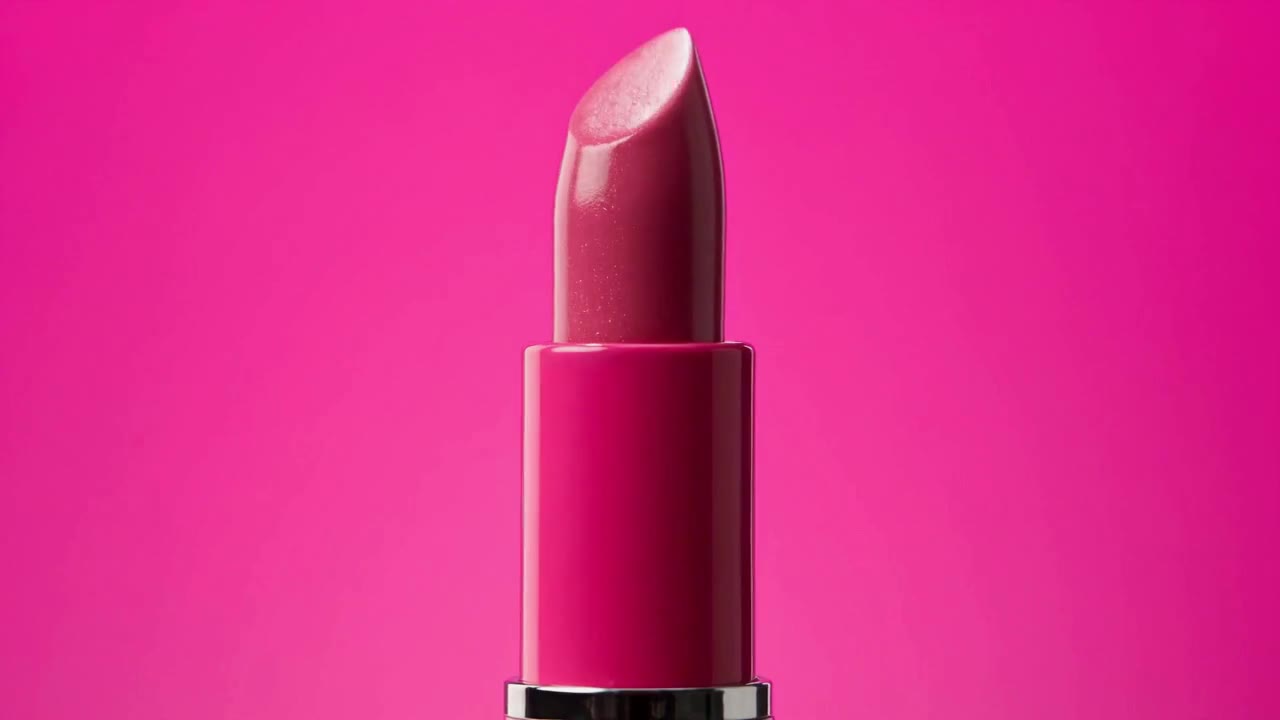
  • Beauty commercial for a fictional lipstick brand "Lumière P…, made with Seedance 2.5 on DreamBench
    New720P · 16:9 · 15S · Sound

    ByteDance Seed

    Seedance 2.5

    Tell a short story in one clip of up to 30 seconds, cut into linked shots, with sound made with the picture.

    • Up to 30 s a clip
    • 480p / 720p / 1080p
    • Sound on or off

    753 credits for 10 s at 720p with sound

    The prompt behind this clip

    Beauty commercial for a fictional lipstick brand "Lumière Pop," 15 seconds, 9:16 vertical, multi-shot edit with quick, rhythmic cuts. Every shot uses seamless, solid, saturated color backgrounds, soft even beauty lighting, luminous dewy skin and glossy lips. Three lipstick shades: coral orange, fuchsia pink, soft peach. Shot 1 (0–1.5s): Extreme macro close-up of a glossy hot pink lipstick tube against a magenta background. The bullet twists up slowly, revealing the angled fuchsia tip, light gliding across its creamy surface. Shot 2 (1.5–3s): Quick cut to a young woman with a sleek low bun and gold drop earrings, wearing a fuchsia satin shirt, against a magenta background. Close-up as she glides the fuchsia lipstick across her lower lip in one smooth stroke. Shot 3 (3–4.5s): Extreme close-up of her lips pressing together, then parting into a soft smile, the color rich and glossy. Shot 4 (4.5–6s): Hard color cut to orange. A young man with tousled dark hair, wearing a crisp orange shirt, against a bright orange background, turns his head toward the camera and smirks, lips tinted with a sheer coral shade. Shot 5 (6–7.5s): Top-down shot of three lipstick bullets in coral, fuchsia and peach drawing thick, creamy swatch strokes across a white surface, each stroke landing in rhythm. Shot 6 (7.5–9s): Hard color cut to sky blue. A young woman with short curly hair and small pearl earrings, wearing a pale peach knit top, against a sky blue background, applies the soft peach lipstick while looking into a small handheld mirror, then glances at the camera. Shot 7 (9–10.5s): Slow-motion shot of the three lipsticks tumbling through the air against a split background of orange, magenta and sky blue, caps spinning off, catching the light. Shot 8 (10.5–13s): All three models stand together in a tight group against a solid magenta background, shoulder to shoulder, each turning toward the camera at a slightly different moment, smiling, with a gentle camera push-in. Shot 9 (13–15s): End card. The three lipsticks stand upright side by side, each on its own vertical color block of orange, magenta and sky blue, caps beside them. Clean minimal "Lumière Pop" logo appears below in simple white text. Style: modern K-beauty campaign aesthetic, bold color blocking, crisp sharp focus, flawless but natural skin texture, glossy plump lip finish. Fresh, playful, confident and high-end. Each character and product stays consistent across shots. @lumière_pop_lipstick
  • Up to 30-second clips at 720p or 1080p, with sound in every clip.

    No example yet
    New

    Kling AI

    Kling 4.0

    Shoot one take of up to 30 seconds, with stereo sound and dialogue in 9 languages.

    • Up to 30 s a clip
    • 720p / 1080p
    • Sound in every clip

    603 credits for 10 s at 720p with sound

  • Up to 15-second clips at 720p or 1080p, with sound in every clip.

    No example yet
    New

    HeyGen Video 1

    Try HeyGen's tuned version of MiniMax H3, with sound in every clip of up to 15 seconds.

    • Up to 15 s a clip
    • 720p / 1080p
    • Sound in every clip

    333 credits for 10 s at 720p with sound

  • Up to 20-second clips at 720p or 1080p, with sound you can switch off.

    No example yet
    New

    FLUX 3 Max

    Set the first and last frame of a clip of up to 20 seconds, with sound you can turn off.

    • Up to 20 s a clip
    • 720p / 1080p
    • Sound on or off

    643 credits for 10 s at 720p with sound

  • Up to 10-second clips at 720p, 1080p or 4K, with sound in every clip.

    No example yet
    New

    Gemini Omni Flash

    Make widescreen or portrait videos, with sound on every clip.

    • Up to 10 s a clip
    • 720p / 1080p / 4K
    • Sound in every clip

    523 credits for 10 s at 720p with sound

  • Up to 30-second clips at 720p or 1080p, with sound in every clip.

    No example yet
    New

    Alibaba Cloud

    Wan 3.0

    Build scenes with dialogue, ambience and sound effects, in single clips of up to 30 seconds.

    • Up to 30 s a clip
    • 720p / 1080p
    • Sound in every clip

    483 credits for 10 s at 720p with sound

  • Up to 15-second clips at 720p or 1080p, with sound in every clip.

    No example yet
    New

    MiniMax H3 Max

    Try a tuned version of MiniMax H3, with sound built in.

    • Up to 15 s a clip
    • 720p / 1080p
    • Sound in every clip

    463 credits for 10 s at 720p with sound

  • Up to 15-second clips at 720p or 1080p, with sound in every clip.

    No example yet

    MiniMax

    MiniMax H3

    Make scenes you want to hear as well as see, with stereo sound on every clip of up to 15 seconds.

    • Up to 15 s a clip
    • 720p / 1080p
    • Sound in every clip

    463 credits for 10 s at 720p with sound

  • Up to 15-second clips at 720p or 1080p, with sound in every clip.

    No example yet

    Alibaba

    HappyHorse 1.1

    Have people speak to camera with lip-synced dialogue, in clips of up to 15 seconds.

    • Up to 15 s a clip
    • 720p / 1080p
    • Sound in every clip

    583 credits for 10 s at 720p with sound

  • Up to 15-second clips at 720p or 1080p, with sound in every clip.

    No example yet

    xAI

    Grok Imagine 1.5

    Animate high-energy scenes in clips of up to 15 seconds, with sound in every one.

    • Up to 15 s a clip
    • 720p / 1080p
    • Sound in every clip

    583 credits for 10 s at 720p with sound

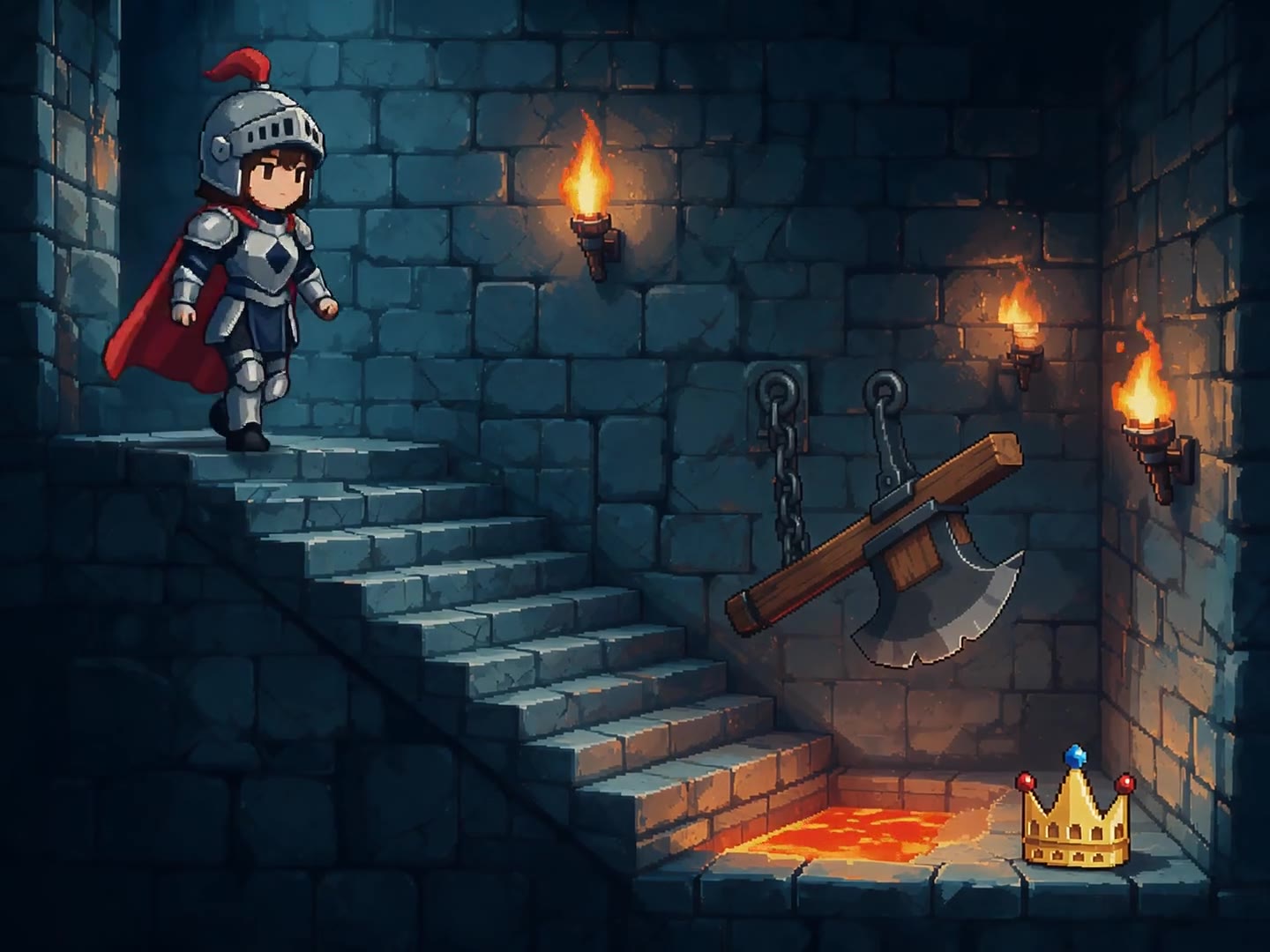
  • Pixel-art animation, 16-bit style. A tiny knight sprite des…, made with Wan 2.7 on DreamBench
    1080P · 4:3 · 10S · Sound

    Alibaba Cloud

    Wan 2.7

    Give scenes a stylized look, from manga and pixel art to 3D animation, in clips of up to 15 seconds.

    • Up to 15 s a clip
    • 720p / 1080p
    • Sound on or off

    503 credits for 10 s at 720p with sound

    The prompt behind this clip

    Pixel-art animation, 16-bit style. A tiny knight sprite descends a torch-lit dungeon staircase, pixels flickering with the flames. She dodges a swinging pixel axe, hops a gap over pixel lava, and lifts the lost crown as it sparkles in a four-frame twinkle. Chiptune-adjacent bleeps as SFX only.

  • Up to 10-second clips at 720p, 1080p or 4K, with sound you can switch off.

    No example yet

    Lightricks

    LTX-2.3

    Explore abstract and ambient visuals, from watercolor to ink in water, in widescreen or vertical.

    • Up to 10 s a clip
    • 720p / 1080p / 4K
    • Sound on or off

    433 credits for 10 s at 720p with sound

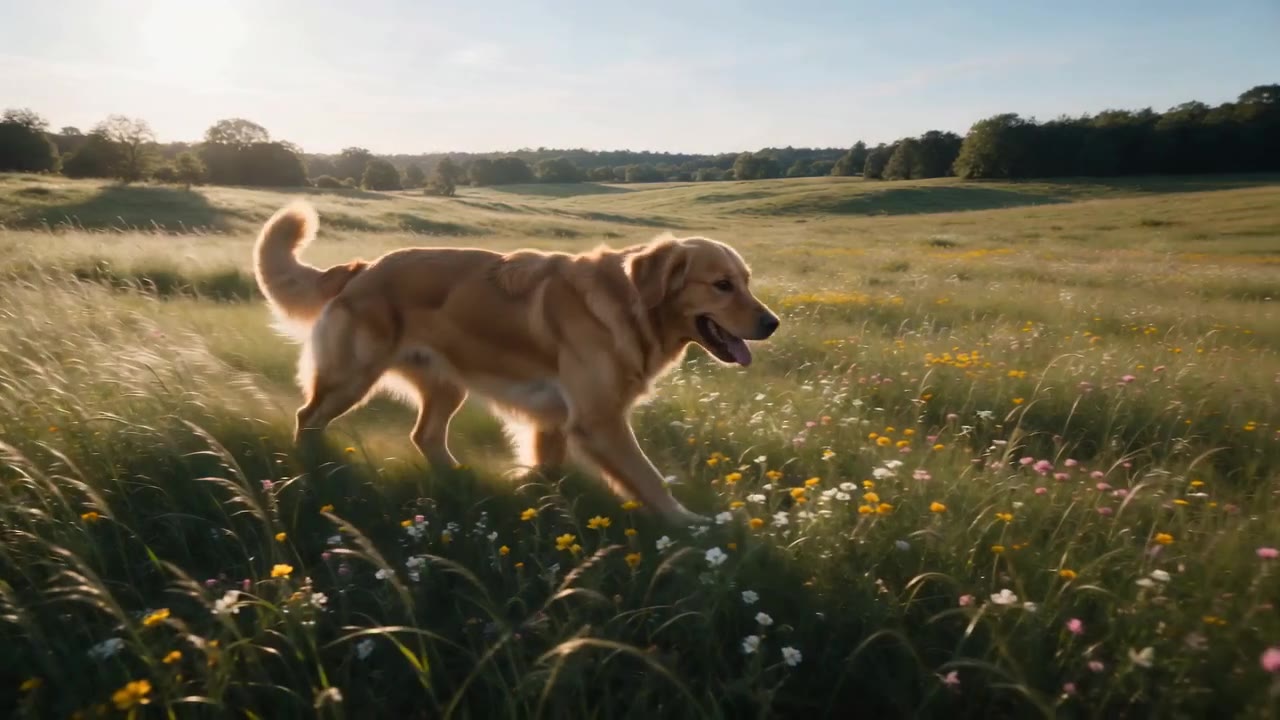
  • A golden retriever running through a sunlit meadow, trackin…, made with Seedance 2.0 on DreamBench
    720P · 16:9 · 10S · Sound

    ByteDance Seed

    Seedance 2.0

    Follow characters through dialogue and action in clips of up to 15 seconds, guided by reference images.

    • Up to 15 s a clip
    • 720p / 1080p / 4K
    • Sound on or off

    523 credits for 10 s at 720p with sound

    The prompt behind this clip

    A golden retriever running through a sunlit meadow, tracking shot following alongside, golden hour lighting, cinematic and warm, shallow depth of field with wildflowers in foreground.

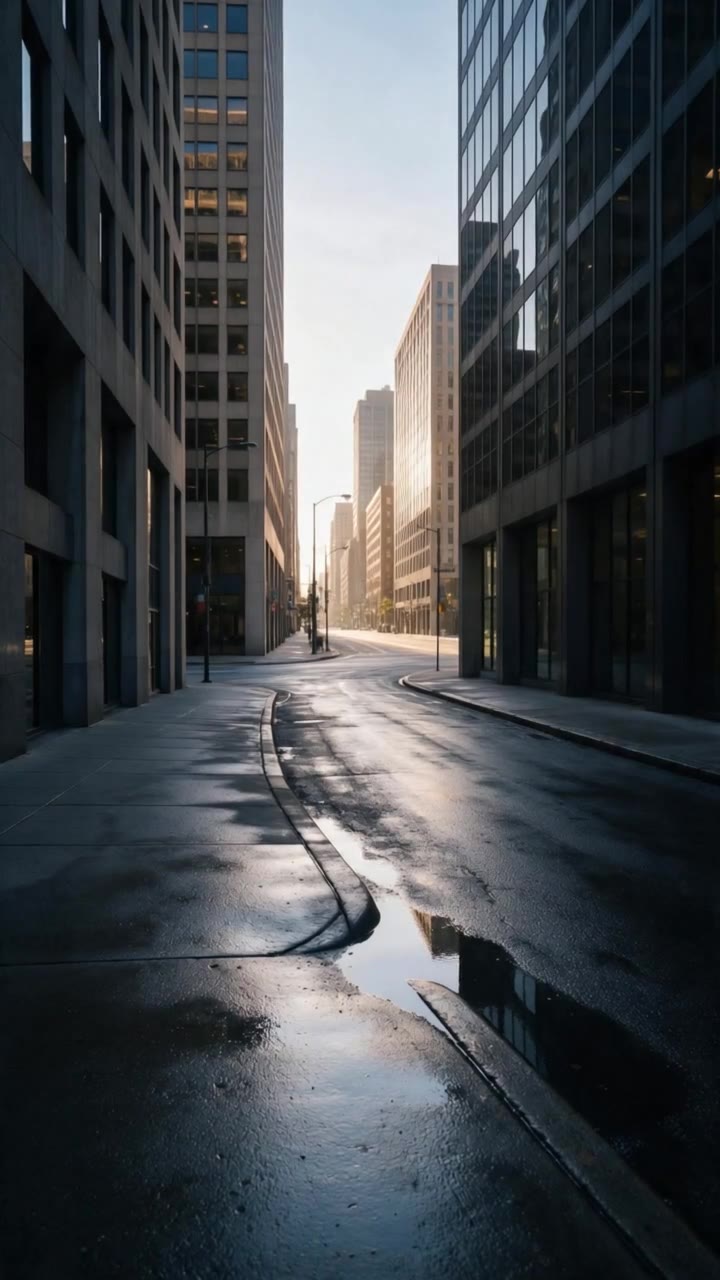
  • A runner in electric-yellow running shoes sprints through a…, made with Kling 3.0 on DreamBench
    720P · 9:16 · 15S · Sound

    Kling AI

    Kling 3.0

    Make movement the focus, from sport and dance to vehicles, with lip-synced dialogue in 5 languages.

    • Up to 15 s a clip
    • 720p / 1080p
    • Sound on or off

    553 credits for 10 s at 720p with sound

    The prompt behind this clip

    A runner in electric-yellow running shoes sprints through an empty city at first light. Tight on the shoes striking wet pavement, splashing through a shallow puddle, springing off a curb. She rounds a corner into full sun and stops, breathing hard, grinning. Final shot: the shoes, mud-flecked, planted on the curb edge.

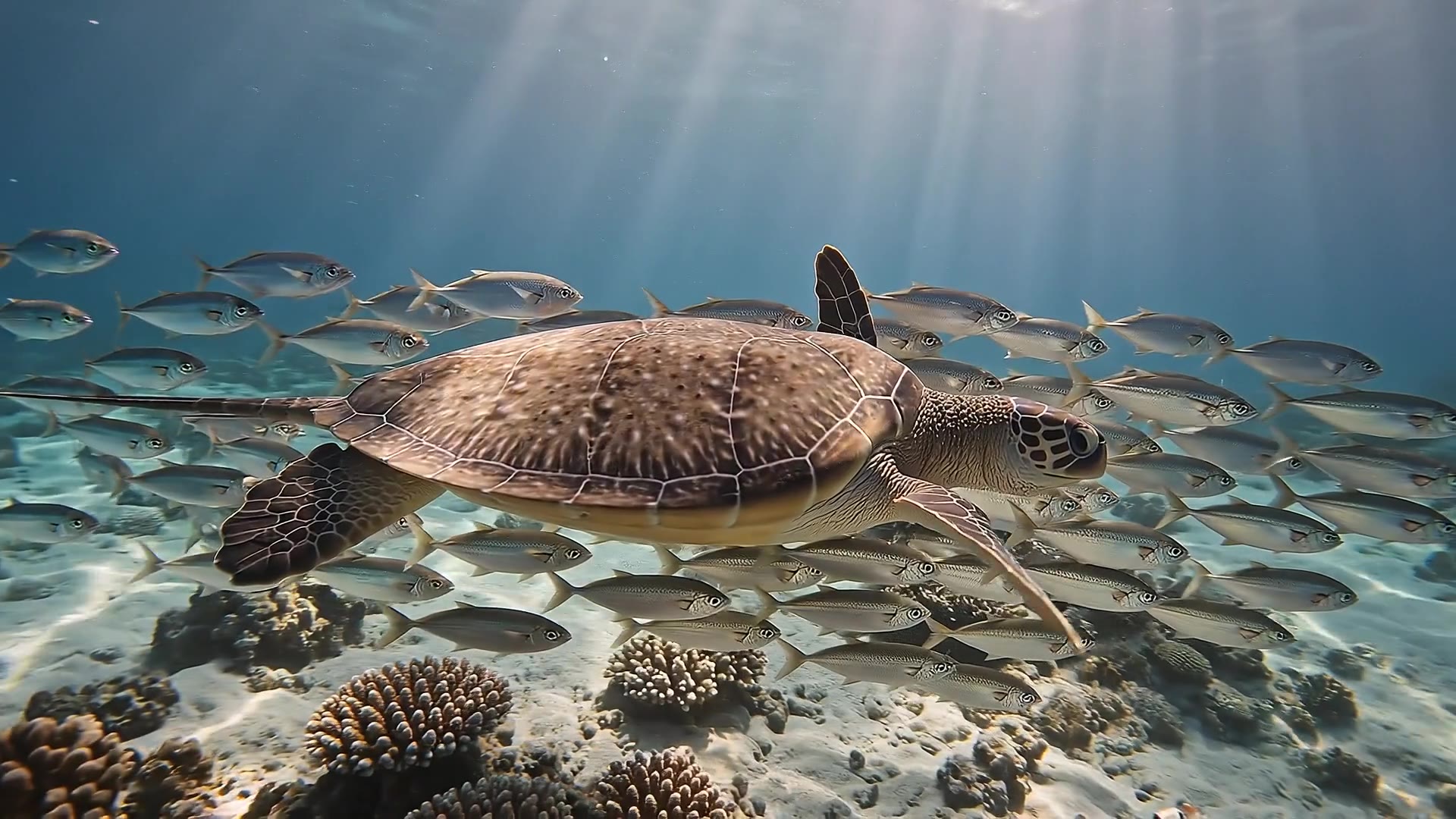
  • Underwater at sunrise: light shafts sweep across a coral re…, made with Veo 3.1 on DreamBench
    1080P · 16:9 · 15S · Sound

    Google DeepMind

    Veo 3.1

    Shape realistic widescreen or vertical scenes with dialogue and sound, on Veo 3.1, Fast or Lite.

    • Up to 8 s a clip
    • 720p / 1080p / 4K
    • Sound in every clip

    573 credits for 10 s at 720p with sound

    The prompt behind this clip

    Underwater at sunrise: light shafts sweep across a coral reef as a sea turtle glides through a school of silver fish that parts around it like a curtain. A ray lifts from the sand in a slow wingbeat of silt. The turtle rises toward the glittering surface and breaks it into the sun. Muffled underwater ambience, then one clear breath.

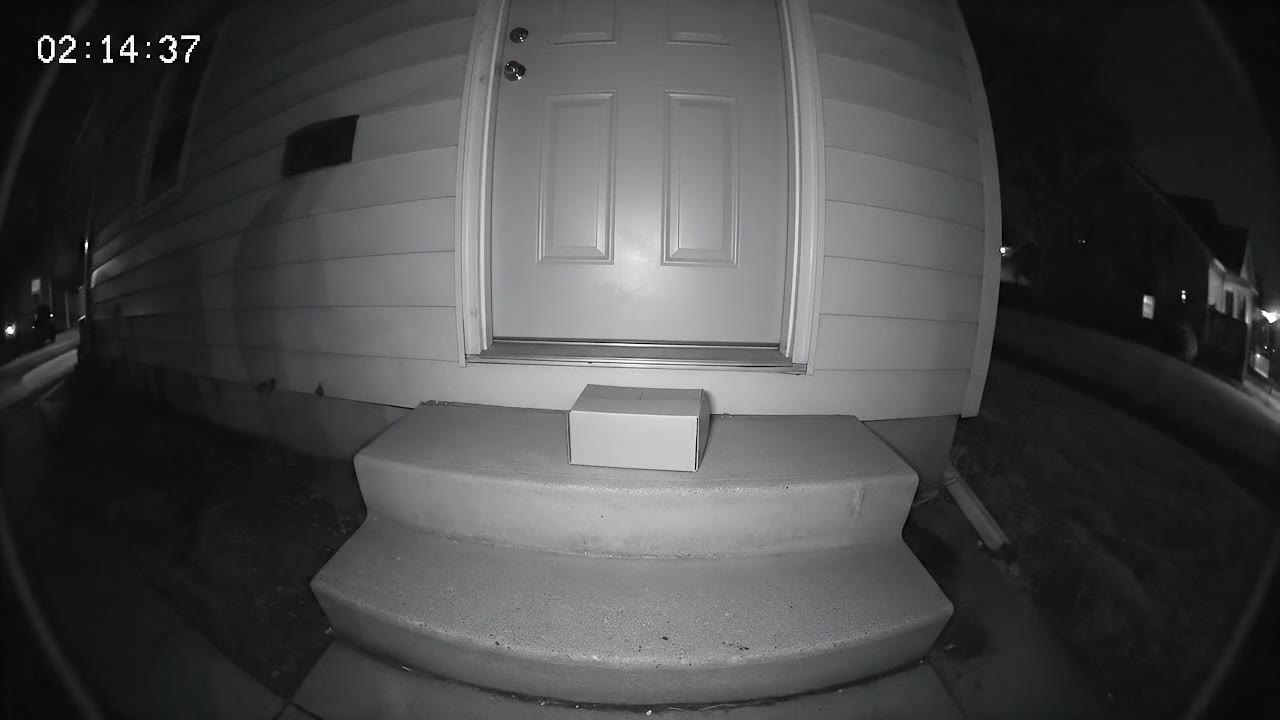
  • Security camera footage from a fixed porch camera at night…, made with Veo 3.1 Fast on DreamBench
    720P · 16:9 · 10S · Sound

    Google DeepMind

    Veo 3.1 Fast

    Google built Fast for ads, social media content and quick tests of a creative idea. Choose it for product clips, vertical posts and drafts at 720p or 1080p.

    • Up to 8 s a clip
    • 720p / 1080p
    • Sound in every clip

    633 credits for 10 s at 720p with sound

    The prompt behind this clip

    Security camera footage from a fixed porch camera at night — grainy black-and-white infrared, a wide fisheye view of a front door, two steps and a delivered parcel, a timestamp in the top corner reading exactly "02:14:37". Nothing moves. Then a raccoon waddles into frame from the left, sniffs the parcel, looks straight up at the camera with glowing eyes, and drags the box off the step one determined tug at a time. The camera never moves; the picture stays low-resolution, noisy and slightly stuttering. No music — the hum of the night and the scrape of cardboard on concrete.

  • Up to 8-second clips at 720p or 1080p, with sound in every clip.

    No example yet

    Google DeepMind

    Veo 3.1 Lite

    Google built Lite for trying ideas quickly and for making video in volume. Choose it to see how a prompt plays, or to make many short clips, before you refine it.

    • Up to 8 s a clip
    • 720p / 1080p
    • Sound in every clip

    423 credits for 10 s at 720p with sound

  • Up to 10-second clips at 720p or 1080p, with background music if you want it.

    No example yet

    ShengShu Technology

    Vidu Q2

    Bring a cast of characters into one scene from their reference images, in clips of up to 10 seconds.

    • Up to 10 s a clip
    • 720p / 1080p
    • Background music on or off

    393 credits for 10 s at 720p with sound

Side by side

Compare AI video models

Check Compare on two or three models in the finder to see them side by side. Until then, here is every model.

Every video model compared
ModelLongest clipResolutionSoundFirst and last frameAspect ratiosCredits, 10 s at 720p
Seedance 2.5ByteDance Seed30 s480p · 720p · 1080pOn or offYes1:1 · 16:9 · 9:16 · 4:3 · 21:9753
Kling 4.0Kling AI30 s720p · 1080pAlways onYes1:1 · 16:9 · 9:16 · 4:3 · 21:9603
HeyGen Video 115 s720p · 1080pAlways onFirst frame only1:1 · 16:9 · 9:16 · 4:3 · 21:9333
FLUX 3 Max20 s720p · 1080pOn or offYes1:1 · 16:9 · 9:16 · 4:3 · 21:9643
Gemini Omni Flash10 s720p · 1080p · 4KAlways onFirst frame only16:9 · 9:16523
Wan 3.0Alibaba Cloud30 s720p · 1080pAlways onYes1:1 · 16:9 · 9:16 · 4:3483
MiniMax H3 Max15 s720p · 1080pAlways onYes1:1 · 16:9 · 9:16 · 4:3 · 21:9463
Seedance 2.0ByteDance Seed15 s720p · 1080p · 4KOn or offYes1:1 · 16:9 · 9:16 · 4:3 · 21:9523
Veo 3.1Google DeepMind8 s720p · 1080p · 4KAlways onYes16:9 · 9:16573
Veo 3.1 FastGoogle DeepMind8 s720p · 1080pAlways onYes16:9 · 9:16633
Veo 3.1 LiteGoogle DeepMind8 s720p · 1080pAlways onYes16:9 · 9:16423
HappyHorse 1.1Alibaba15 s720p · 1080pAlways onFirst frame only1:1 · 16:9 · 9:16 · 4:3 · 21:9583
Kling 3.0Kling AI15 s720p · 1080pOn or offYes1:1 · 16:9 · 9:16 · 4:3 · 21:9553
Wan 2.7Alibaba Cloud15 s720p · 1080pOn or offYes1:1 · 16:9 · 9:16 · 4:3503
LTX-2.3Lightricks10 s720p · 1080p · 4KOn or offYes16:9 · 9:16433
Vidu Q2ShengShu Technology10 s720p · 1080pBackground music, on or offFirst frame only1:1 · 16:9 · 9:16 · 4:3393
MiniMax H3MiniMax15 s720p · 1080pAlways onYes1:1 · 16:9 · 9:16 · 4:3 · 21:9463
Grok Imagine 1.5xAI15 s720p · 1080pAlways onFirst frame only1:1 · 16:9 · 9:16 · 4:3583

Still have questions?

Model questions

Which AI video models are on DreamBench?

18 video models: Seedance 2.5, Kling 4.0, HeyGen Video 1, FLUX 3 Max, Gemini Omni Flash, Wan 3.0, MiniMax H3 Max, Seedance 2.0, Veo 3.1, Veo 3.1 Fast, Veo 3.1 Lite, HappyHorse 1.1, Kling 3.0, Wan 2.7, LTX-2.3, Vidu Q2, MiniMax H3 and Grok Imagine 1.5. And 6 image models: GPT Image 2.5, GPT Image 2, Seedream 5.0, Seedream 5.0 Flash, Nano Banana 2 and Grok Imagine Image 2.0. The finder on this page filters them by sound, clip length, resolution and credits, and 16 of them have a page of their own with prompts to start from.

Which AI video model should I use?

The one that fits the video. For one long take, Seedance 2.5, Kling 4.0 and Wan 3.0 make up to 30 seconds at a time. For a 4K finish, Gemini Omni Flash, Seedance 2.0, Veo 3.1 or LTX-2.3. To put your own pictures on every clip, Seedance 2.5, Seedance 2.0, Veo 3.1 or Vidu Q2. The finder filters by what your video needs.

Which AI video models generate sound?

Every video model on DreamBench can generate sound. On Kling 4.0, HeyGen Video 1, Gemini Omni Flash, Wan 3.0, MiniMax H3 Max, Veo 3.1, Veo 3.1 Fast, Veo 3.1 Lite, HappyHorse 1.1, MiniMax H3 and Grok Imagine 1.5 it is always on. On Seedance 2.5, FLUX 3 Max, Seedance 2.0, Kling 3.0, Wan 2.7 and LTX-2.3 you switch it on or off per video. Vidu Q2 adds background music only.

Which AI video models speak in other languages?

Their developers list the languages their speech holds up in: Seedance 2.5 (11 languages), Kling 4.0 (9 languages) and MiniMax H3 (11 languages). The other models with sound can speak a line you write too; DreamBench lists no languages for them.

Which models render in 4K?

Gemini Omni Flash, Seedance 2.0, Veo 3.1 and LTX-2.3 render up to 4K on DreamBench, on the Plus, Ultra and Studio plans. Every other model renders at 720p or 1080p, and every plan from Starter up renders at least 720p.

Which models are on the Starter plan?

Seedance 2.5, Kling 4.0, HeyGen Video 1, FLUX 3 Max, Gemini Omni Flash, Wan 3.0, MiniMax H3 Max, Seedance 2.0, Veo 3.1 Fast, Veo 3.1 Lite, HappyHorse 1.1, Kling 3.0, Wan 2.7, LTX-2.3, Vidu Q2, MiniMax H3 and Grok Imagine 1.5, and every image model, are on every plan from Starter at $9.99 a month. Veo 3.1 needs Plus, Ultra or Studio.

How long is one clip on each model?

Seedance 2.5, Kling 4.0 and Wan 3.0 up to 30 seconds; FLUX 3 Max up to 20 seconds; HeyGen Video 1, MiniMax H3 Max, Seedance 2.0, HappyHorse 1.1, Kling 3.0, Wan 2.7, MiniMax H3 and Grok Imagine 1.5 up to 15 seconds; Gemini Omni Flash, LTX-2.3 and Vidu Q2 up to 10 seconds; Veo 3.1, Veo 3.1 Fast and Veo 3.1 Lite up to 8 seconds. A whole DreamBench video can be longer, because the scenes are generated one by one and joined: up to 30 seconds on Starter, 2 minutes on Plus and 5 minutes on Ultra and Studio.

How are the credits on this page worked out?

Each is what the composer quotes for a 10-second video with sound in Film Studio: 183 credits for planning the video and drawing its references, plus the model’s rate per second. A Video page clip is the model’s seconds alone, priced on its own. You always see the exact cost before you generate.

Can I use more than one model in a video?

Pick one model for each video and DreamBench uses it for every scene, so the look holds from the first shot to the last. To try another model, make a new video from the same idea, or build its characters with an image model first and reuse the sheets.

Make your video

Pick a model. Start creating.

Every model on this page is in the same studio. Describe the video you have in mind, then change the scenes you want to improve.