Kling 3.0 is Kling AI’s video model for continuous takes of up to 15 seconds, with sound and lip-synced dialogue. On DreamBench you describe your video, Kling 3.0 makes every scene of it from your prompt and images, and you can redo any scene without starting over.
Write a prompt for Kling 3.0, choose the aspect ratio, length, quality and sound, and see exactly how many credits the video uses before you create it.
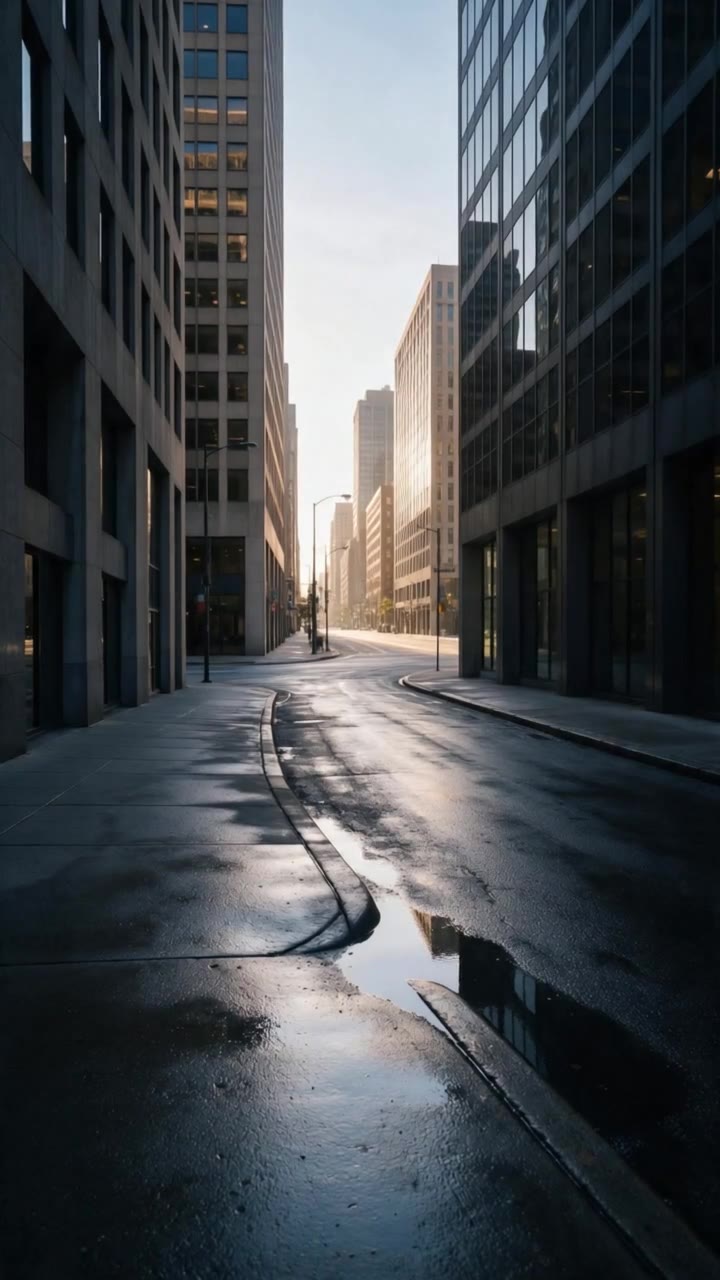
A video made with Kling 3.0 on DreamBench, and the exact prompt that made it.
720P · 9:16 · 15S · Sound
A runner in electric-yellow running shoes sprints through an empty city at first light. Tight on the shoes striking wet pavement, splashing through a shallow puddle, springing off a curb. She rounds a corner into full sun and stops, breathing hard, grinning. Final shot: the shoes, mud-flecked, planted on the curb edge.
The length is the whole video’s: DreamBench plans the scenes, makes each one with Kling 3.0 and joins them. Create with Kling 3.0 opens Film Studio with your prompt and every setting in place.
Examples
Made with Kling 3.0 on DreamBench
Published templates, each with the prompt that made it. Use one as it is or make it your own.
720P · 9:16 · 15S · Sound
A runner in electric-yellow running shoes sprints through an empty city at first light. Tight on the shoes striking wet pavement, splashing through a shallow puddle, springing off a curb. She rounds a corner into full sun and stops, breathing hard, grinning. Final shot: the shoes, mud-flecked, planted on the curb edge.
Strengths
What Kling 3.0 is good at
01
Movement that holds together
Kling built 3.0 to keep people, animals and objects consistent from frame to frame while the camera tracks, swings or circles, which is why it suits sport, dance and vehicles.
02
Voices matched to lips
With sound on, each character speaks their own lines, with voice and lips in time, in Chinese, English, Japanese, Korean or Spanish, and in the accent you name.
03
Lettering you can read
Kling 3.0 draws signs, labels and captions clearly enough to read, and Kling pitches that at product demos and ads.
04
Every scene of a planned film
On DreamBench, Kling 3.0 shoots each scene of a film planned from your idea, from opening frames built on your references, and you can redo any scene and keep the rest.
At a glance
Kling 3.0 on DreamBench
15s
longest clip per generation
S1S2S3S4S5
5 min
longest video on DreamBench
depending on your plan
720p1080p4K
1080p
top resolution
720p and 1080p
5
aspect ratios
1:1, 16:9, 9:16, 4:3 and 21:9
On / off
sound
Your choice, per video
The model
What is Kling 3.0?
Made by Kling AI
Released February 2026
Video model
Clips up to 15 seconds
Kling 3.0 is a video model from Kuaishou’s Kling AI, released in February 2026 as the successor to Kling 2.6. It turns a written prompt or a picture into 3 to 15 seconds of continuous video, and it can generate the sound with the picture, including dialogue with lips in time. Kling released Kling 3.0 Omni, the upgrade of its O1 model, at the same time, and in October 2026 released its next generation, Kling 4.0, which DreamBench also runs.
Kling built 3.0 to hold a scene together: people, animals and objects keep their look while the camera tracks, swings or circles around them, each speaking character gets their own voice, and signs, labels and captions come out clear enough to read. Kling lists 5 languages for dialogue, Chinese, English, Japanese, Korean and Spanish, with accents such as British or Indian English and Chinese dialects such as Cantonese.
To use Kling 3.0 on DreamBench, pick it in Film Studio and describe the video you want, with reference images if you have them. DreamBench writes the scene plan, designs or builds the cast, makes an opening frame for each scene and has Kling 3.0 animate it, then joins the clips into one video. If a scene misses, give it new direction and regenerate just that scene.
What you get when you make videos with it on DreamBench, where one model makes every scene of a video.
Made by
Kling AI
Longest clip
15 seconds per generation
Video length on DreamBench
Up to 30 seconds on Starter, 2 minutes on Plus and 5 minutes on Ultra and Studio
Resolution
720p and 1080p
Aspect ratios
1:1, 16:9, 9:16, 4:3 and 21:9
Sound
On or off, your choice
Reference images
Up to 8 per video; the first 4 are included, then 43 credits each
Plans
Every plan
Credits
37 per second at 720p (28 with sound off) and 46 per second at 1080p (34 with sound off), plus 183 per video
A 15-second 720p video with sound uses 738 credits. You always see the exact cost before you generate.
Good to know
DreamBench makes 720p clips with Kling 3.0 Standard and 1080p clips with Kling 3.0 Pro, and a second costs fewer credits with sound off.
Kling 3.0 runs in Film Studio, where DreamBench plans the scenes from your idea and Kling 3.0 makes every one. DreamBench’s Video page, which sends your prompt straight to one model as a single clip, doesn’t offer Kling 3.0, because Kling starts every clip from a picture.
Kling 3.0 renders up to 15 seconds in one generation, but DreamBench cuts a new film into clips of 3 to 12 seconds, each as long as its action takes, so every clip carries only a few actions. A longer video is more clips, joined.
For each clip, DreamBench makes an opening frame from your reference images, or from the characters, props and places it designs, and Kling 3.0 animates it. The video takes that frame’s shape, which is how you can choose 4:3 and 21:9 here as well as 1:1, 16:9 and 9:16.
Add up to 8 reference images to a video, each tagged as a character, creature, location or prop, and name one in your prompt with @ and its label. DreamBench builds a sheet from each and reuses it in every scene it appears in.
To change a scene, give it new direction or a new reference image and regenerate just that scene. A redo costs the seconds of the scenes you redo, plus a base amount, and the rest of the video stays as it was.
You can also have a film stop after its script and again after its cast, so you read and approve them before Kling 3.0 shoots a scene. Each step is paid as it starts.
Kling’s own app and API also offer a multi-shot mode that cuts between shots inside one clip, Elements that lock in a character’s look and voice, start and end frames, and voice tone control. On DreamBench a clip is one shot, and a new shot is a new scene.
Estimate your credits
A Kling 3.0 video, as the composer prices it.
738credits
Available from Starter. Starter’s 1,100 monthly credits make one video like this. You always see the exact cost before you generate.
Side by side
Kling 3.0 compared
Kling 3.0 beside the models people weigh it against, as each runs on DreamBench. Every cell comes from the same tables as the spec sheet above.
Pick Kling 3.0 in the composer, or press Create with Kling 3.0 on this page.
Widescreen 16:9, one continuous 10-second take in a concrete underpass at night.
Generate
Step 2
Describe your video
Write what should happen, or start from a template. Add reference images for the characters, products or places you want to see.
S1S2S3
Scene 1 keptScene 2 againScene 3 kept
Step 3
Generate, then refine
DreamBench plans the scenes, designs the characters and places, generates each scene with Kling 3.0 and joins them. Then change any scene you want to improve and keep the rest.
Prompt ideas
Prompt ideas for Kling 3.0
Start from one of these and change it however you like.
01
The last-second dunk
Vertical 9:16, one continuous 10-second take on an outdoor basketball court at sunset. A player dribbles between his legs, spins past a defender and, at 6 seconds, rises for a one-handed dunk that rattles the rim; he lands, points at his friend and shouts (breathless, in English): “Told you!” The camera runs low beside him, then circles as his friends rush in. He is a lanky teenager in a yellow tank top and a white headband; the defender wears gray. Low golden light behind the hoop, long shadows on the asphalt, warm film grain. The ball thumping, sneakers squeaking, the chain net rattling, friends cheering.
02
Beatbox and breakdance
Widescreen 16:9, one continuous 10-second take in a concrete underpass at night. A beatboxer counts in (into his fist, in English): “Five, six, seven, eight!” and starts a steady beat; a dancer drops into fast footwork, spins on her back and, on the last beat, freezes on one hand as the small crowd cheers. The camera holds a medium-wide shot at hip height, then pushes in on the freeze. He wears a green bomber jacket; she wears a red tracksuit and white sneakers. Graffiti walls, one sodium streetlight and a ring of phone flashlights, cool shadows with warm highlights. The beatbox echoing off the concrete, sneakers scuffing, claps and cheers.
03
The label you can read
Square 1:1 product demo, one continuous 8-second take on a sunlit concrete step. A hand turns a matte black water bottle until its white label faces the camera, reading “TRAILHEAD 750 ml” in clean capital letters, then unscrews the cap and pours ice-cold water into a steel cup. The camera circles the bottle slowly at label height and settles on the lettering. The bottle is slim, with a brushed steel cap. Crisp morning light, hard shadows, condensation beading on the cup. Birdsong, the click of the cap, water splashing into the cup.
04
Spanish and English at the bar
Widescreen 16:9, one continuous 10-second take in a crowded tapas bar in the evening. The owner slides a plate of sizzling shrimp across the counter and says (warmly, in Spanish): “Recién hechas. ¡Cuidado, que queman!” The young man opposite grins and replies (in English, with a British accent): “Smells amazing, thank you.” The camera starts on the plate, rises to the owner, then pans to him as he answers. She is silver-haired, in a black apron; he wears a denim jacket. Warm tungsten bulbs, tiled walls, steam catching the light. Pans hissing, glasses clinking, chatter drifting in from the street.
05
Rally stage in the pines
Cinematic 21:9, one continuous 10-second take on a gravel rally stage in a pine forest. A mud-spattered rally car slides sideways through a hairpin, stones spraying toward the camera, then straightens, launches over a crest and, at 7 seconds, lands hard. The camera tracks alongside at bumper height, then lets the car pull away into its own dust. A white hatchback with a blue stripe, a roof vent and its headlamps on. Late-afternoon sun in shafts through the dust, deep green pines. The engine howling, gravel hammering the wheel arches, spectators cheering from the trees.
06
The sheepdog’s whistle
Widescreen 16:9, one continuous 10-second take on a misty hillside in the morning. A shepherd gives 2 short whistles and calls (firmly, in English, with a British accent): “Away, Fly! Away!” His sheepdog races wide around the flock, drops low and edges the sheep through an open gate. The camera follows the dog at ground level, then rises to show the flock pouring through the gate. The dog is a black-and-white border collie with one white ear; the shepherd wears a flat cap and a waxed jacket. Soft overcast light, mist on the hills, muted greens and grays. The whistle carrying, hooves drumming on turf, sheep bleating, wind in the grass.
07
Hand-pulled noodles
Classic 4:3, one continuous 10-second take at a noodle stall in a night market. A cook slaps a rope of dough on the counter, stretches and folds it until it splits into fine strands, drops them into a boiling pot and, at 8 seconds, lifts a steaming bowl toward the camera, saying (cheerfully, in Mandarin Chinese): “面好了,趁热吃!” The camera stays close on her hands, then tilts up to her smile as the bowl comes forward. She wears a white cap and a blue apron, flour up her forearms. Warm bulb light, clouds of steam, chilli oil glistening on the broth. Dough slapping on steel, the pot rolling at the boil, the market’s chatter behind.
08
Down the runway
Vertical 9:16, one continuous 10-second take at a fashion show. A model walks the length of a white runway toward the camera, turns at the end so her coat swings out, holds a pose for a beat and walks back. The camera leads her backward at waist height, then holds as she turns. She wears an oversized camel wool coat over a silver slip dress and black boots, her hair slicked back. Bright, even runway light, rows of guests in shadow, camera flashes popping. Heels striking the runway in a steady rhythm, shutters clicking, a low murmur from the crowd.
09
Morning café vlog
Vertical 9:16 for a phone screen, one continuous 8-second selfie take in a small Tokyo café. A young woman holds the phone at arm’s length, waves and says (brightly, in Japanese): “おはよう!今日は新しいカフェに来ました。” She turns the camera to a latte with a heart in the foam, then back to herself as she takes a sip and smiles. Handheld at arm’s length, gently bobbing. She has a short black bob and a cream knitted sweater. Soft window light, warm wood and plants behind her, a natural phone-camera look. Her voice close to the microphone, cups clinking, a coffee grinder whirring.
Still have questions?
Kling 3.0 FAQ
What is Kling 3.0?
Kling 3.0 is a video model from Kuaishou’s Kling AI, released in February 2026 as the successor to Kling 2.6. It turns a text prompt or a picture into 3 to 15 seconds of continuous video, with sound that can include lip-synced dialogue from several characters. Kling released Kling 3.0 Omni alongside it. On DreamBench, Kling 3.0 makes the scenes of a planned video, at 720p on Standard or 1080p on Pro.
How do I use Kling 3.0 on DreamBench?
Press Create with Kling 3.0, or pick it in Film Studio’s composer, then describe your video and choose its length, aspect ratio, resolution and sound. DreamBench writes the scene plan, designs the cast or builds it from your reference images, makes an opening frame for each scene and has Kling 3.0 animate it, then joins the clips into one video. Redo any scene you don’t like and keep the rest.
How much does Kling 3.0 cost on DreamBench?
Kling 3.0 is priced in credits: a rate for every second of video, higher at 1080p than at 720p and lower with sound off, plus a base amount per video. A clip’s price follows its length and resolution. Credits come with a paid plan, and Kling 3.0 is on all of them, with no Kling account or API key needed. The table on this page lists the current rates, and the composer shows the exact cost before you generate.
How do I write a good Kling 3.0 prompt?
Write one continuous take in this order: the frame and its length, the action beat by beat with any spoken line, the camera move, the subject’s look, the light and the look of the picture, then the sound. Keep it to a few actions, time them if it helps (“at 6 seconds”), and use plain words. On DreamBench your prompt is the brief DreamBench writes each scene’s Kling prompt from.
Does Kling 3.0 lip-sync dialogue, and in which languages?
Yes. With sound on, Kling 3.0 generates speech with lips in time, in 5 languages: Chinese, English, Japanese, Korean and Spanish, and characters can switch between them within one clip. Kling says it handles English accents such as American, British and Indian, and Chinese dialects such as Cantonese, Sichuanese and Beijing, and that it translates lines written in any other language into English.
How do I write dialogue for several characters in Kling 3.0?
Give each line to a named character, with how they say it in parentheses and the line in quotation marks, for example: The owner (warmly, in Spanish): “¡Cuidado, que queman!” Kling matches each line to the right speaker’s voice and lips, and its guide shows scenes with 3 or more speakers. Keep the lines short enough to say in the clip’s time, at about 2 words a second.
Can Kling 3.0 turn an image into a video on DreamBench?
Yes. Upload up to 8 reference images per video, tag each as a character, creature, location or prop, and name it in your prompt with @ and its label. DreamBench builds each scene’s opening frame from them and Kling 3.0 animates it, so your person, pet or product appears in the scenes you put them in. Kling’s own app also takes start and end frames; on DreamBench, the opening frames are made for you.
How long can a Kling 3.0 video be on DreamBench?
Kling 3.0 renders 3 to 15 seconds in one generation. On DreamBench, a new film is cut into clips of 3 to 12 seconds, each a few actions long, and the clips are joined into one video: up to 30 seconds on Starter, 2 minutes on Plus and 5 minutes on Ultra and Studio. Shorter clips keep each action clean, and you can redo any one of them.
What resolution does Kling 3.0 use on DreamBench?
720p or 1080p, your choice. DreamBench renders 720p with Kling 3.0 Standard and 1080p with Kling 3.0 Pro, Kling’s 2 quality modes, and both are on every paid plan. 1080p costs more credits per second than 720p. For a quick test or a social clip watched on a phone, 720p is often enough; choose 1080p for a final cut or a bigger screen.
What aspect ratios does Kling 3.0 support on DreamBench?
There are 5: square 1:1, widescreen 16:9, vertical 9:16, 4:3 and cinematic 21:9. Kling 3.0 animates the opening frame DreamBench makes for each scene, and the video takes that frame’s shape, which is how 4:3 and 21:9 are available here. Pick the ratio in the composer, or name it in your prompt and DreamBench sets it for you.
Does Kling 3.0 generate sound, and can I turn it off?
Yes. With sound on, Kling 3.0 generates sound with the picture: dialogue, effects and ambience that follow the action. Switch sound off in the composer for picture only, which on DreamBench also uses fewer credits per second. Describe what should be heard at the end of your prompt, such as footsteps, rain or a crowd, and give spoken lines to named characters.
Are Kling 3.0 videos watermarked?
On DreamBench, videos made on Starter carry a small DreamBench watermark, and Plus, Ultra and Studio remove it. The mark is DreamBench’s, not Kling’s: Kling’s own pages for Kling 3.0 describe no watermark on the model’s output. The watermark depends only on your plan, not on the resolution or the length you choose.
Can I use Kling 3.0 videos commercially?
Yes. DreamBench’s Terms of Use allow personal and commercial use of what you make, including ads, product videos and client work. You need the rights to anything you upload, such as photos of people or products, and generated videos may not be exclusive to you or protected by copyright. Starter videos carry a DreamBench watermark, which Plus and above remove.
What is the difference between Kling 3.0 and Kling 2.6?
Kling says 3.0 adds clips of up to 15 seconds with a flexible length from 3, a multi-shot mode, steadier characters and objects, dialogue in 5 languages with accents and dialects, characters who switch languages in one scene, and clearer lettering. Both versions generate sound and work from text, an image, or start and end frames. DreamBench runs Kling 3.0, not 2.6.
Is Kling 4.0 on DreamBench, and how does it relate to Kling 3.0?
Yes, both are. Kling released Kling 4.0, its next-generation video model, in October 2026. Kling says 4.0 extends a single generation from 15 to 30 seconds, speaks 9 languages for dialogue instead of 5, and in Kling’s own app takes up to 15 references and 10 keyframes. On DreamBench, Kling 4.0 runs in Film Studio and on the Video page, with sound always on, while Kling 3.0, which this page describes, runs in Film Studio, with sound on or off.
What is Kling 3.0 Omni?
Kling 3.0 Omni is the upgrade of Kling’s O1 model, released alongside Kling 3.0 in February 2026. Kling describes it as an all-in-one model that mixes inputs: up to 7 images or Elements, a reference video, voices bound to characters, video editing and a shot-by-shot storyboard of up to 15 seconds. Omni is offered in Kling’s own app and API; DreamBench runs Kling 3.0 as Standard and Pro.
Can Kling 3.0 make multi-shot videos?
In Kling’s own app, Kling 3.0 has a Multi-Shot switch that plans several shots inside one generation, or lets you set each shot’s length and content. On DreamBench, each Kling 3.0 clip is a single shot that doesn’t cut partway through. DreamBench makes a multi-shot video by planning the scenes, generating each as its own clip and joining them, so you can redo any one.
Why doesn’t my Kling 3.0 video match my prompt?
Usually a scene has too much to do. Give each scene one main action, a few seconds long, and say who does it, where, and how the camera moves, in plain words. Put spoken lines in quotation marks with a named speaker, and name the language. If one scene still misses, give that scene new direction or a reference image and regenerate it alone; the others stay as they are.
How do I keep characters consistent in Kling 3.0?
Give DreamBench a reference image of each character, tagged as a character, and name them in your prompt with @ and their label. DreamBench builds a character sheet from each and makes every scene’s opening frame from the same sheets, so faces, clothes and props carry from scene to scene. Keep each character’s description the same throughout your brief. In Kling’s own app, Elements do this job.
Which DreamBench plans include Kling 3.0?
Available on every plan. Video length depends on the plan: up to 30 seconds on Starter, 2 minutes on Plus and 5 minutes on Ultra and Studio.
Were the example videos on this page made with Kling 3.0?
Yes. Every film on this page is a published DreamBench template made with Kling 3.0, shown with the prompt that made it. No film or still from another model appears on this page.
Kling 3.0 is developed by Kling AI. DreamBench is an independent platform that offers Kling 3.0 alongside other models, and isn’t affiliated with or endorsed by Kling AI. The facts on this page were last checked on . Kling 3.0 and Kling AI are trademarks of their owners, used here only to name the model and its developer.
Make your video
Create withKling 3.0
Describe the video you have in mind. DreamBench plans the scenes, and you change the ones you want to improve.