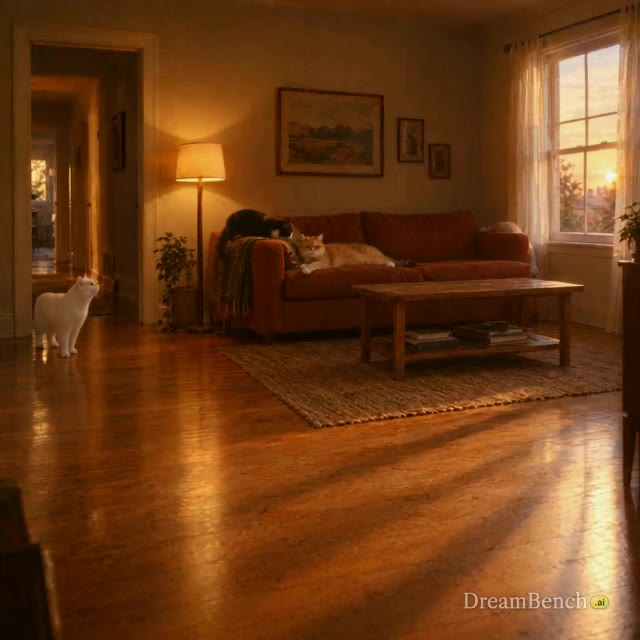
Generate a melo-drama love story about @yickshuncat finding out that @cat_one is cheating on her with @cat_two the scene ends with a climatic slap on @cat_one . The whole clip should be in madarin with english subtitles.
Video model · by ByteDance Seed
Seedance 2.5 is ByteDance’s video model for clips of up to 30 seconds with sound, which can cut between linked shots inside one clip. On DreamBench, send it a prompt as one clip on the Video page, or let it make every scene of a planned film from your words and images, and redo any scene.
Available on every plan · Released July 2026
Start with a prompt
Write a prompt for Seedance 2.5, choose the aspect ratio, length, quality and sound, and see exactly how many credits the video uses before you create it.
Generating this uses 648 credits
Available from Starter. See plans and credits
What a Seedance 2.5 prompt carries, part by part. The check marks are simple tests of what you typed, not a promise of how the video turns out.
The frame and how the clip runs — Set by the settings
Set by the aspect ratio and length pills.
The whole moment — In your prompt
The light — Tip
The source and its side, and what falls to shadow, the same in every shot of the clip.
The shots, numbered and timed — Tip
The same subject in every shot — Tip
The sound last — Tip
A video made with Seedance 2.5 on DreamBench, and the exact prompt that made it.
480P · 1:1 · 30S · Sound
Generate a melo-drama love story about @yickshuncat finding out that @cat_one is cheating on her with @cat_two the scene ends with a climatic slap on @cat_one . The whole clip should be in madarin with english subtitles.
The length is the whole video’s: DreamBench plans the scenes, makes each one with Seedance 2.5 and joins them. Create with Seedance 2.5 opens Film Studio with your prompt and every setting in place.
Examples
Published templates, each with the prompt that made it. Use one as it is or make it your own.
Generate a melo-drama love story about @yickshuncat finding out that @cat_one is cheating on her with @cat_two the scene ends with a climatic slap on @cat_one . The whole clip should be in madarin with english subtitles.
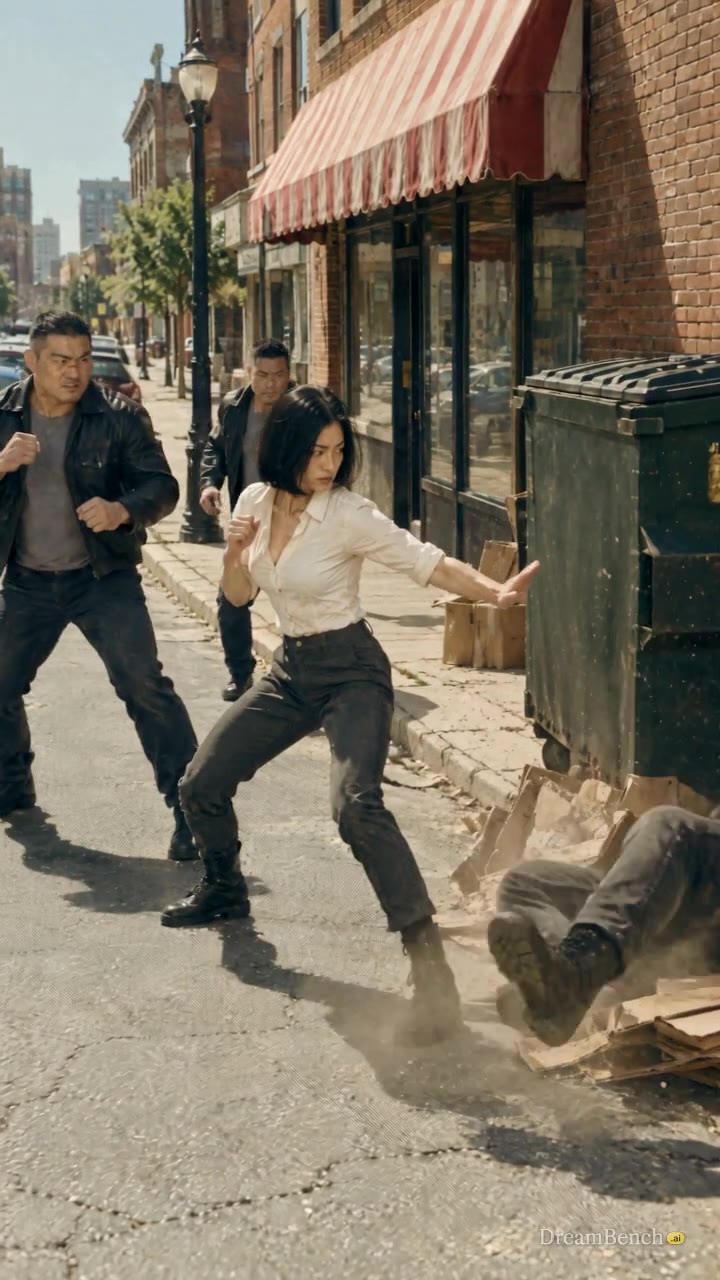
Dynamic street fight in broad daylight between a beautiful Japanese 20-25 year old woman and a few gangsters.
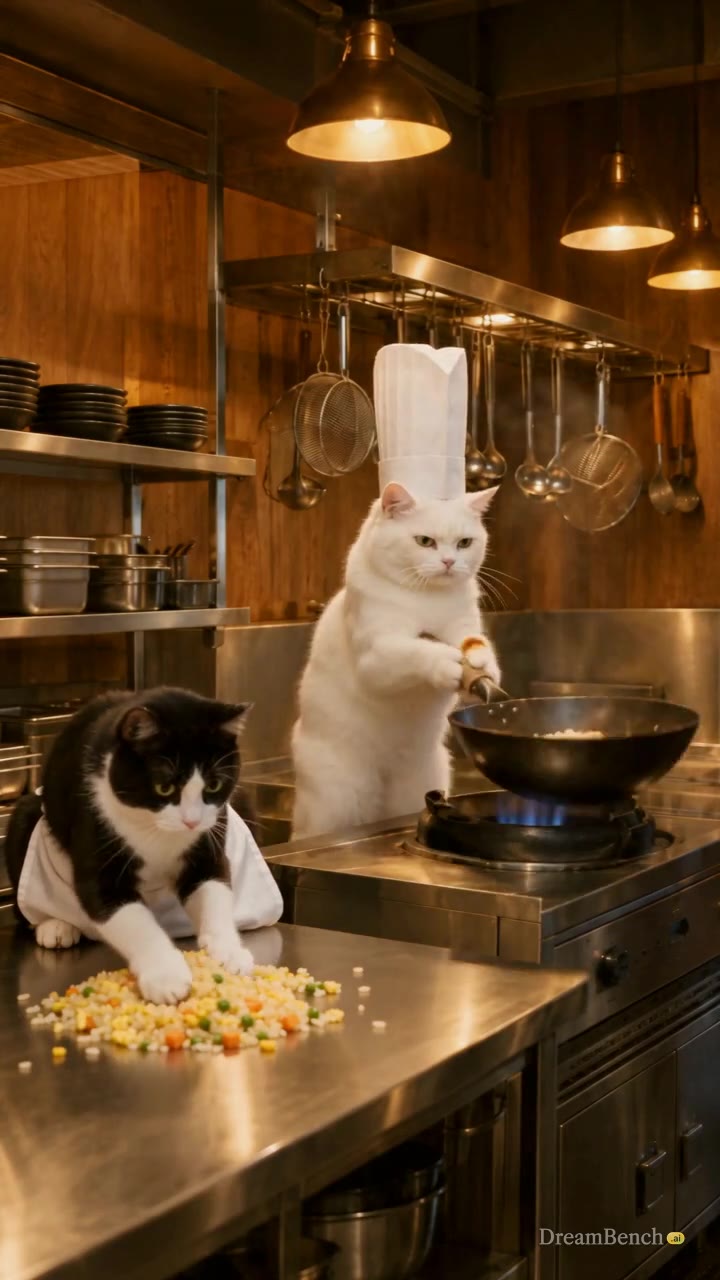
Generate a funny video of chef @yickshuncat cooking up some asian fried rice with @cat_two being the helper and @cat_one being the waiter. The scene ends with a funny shot of @cat_one dropping the delicious fried rice with @yickshuncat taking the wok/pan to slap him
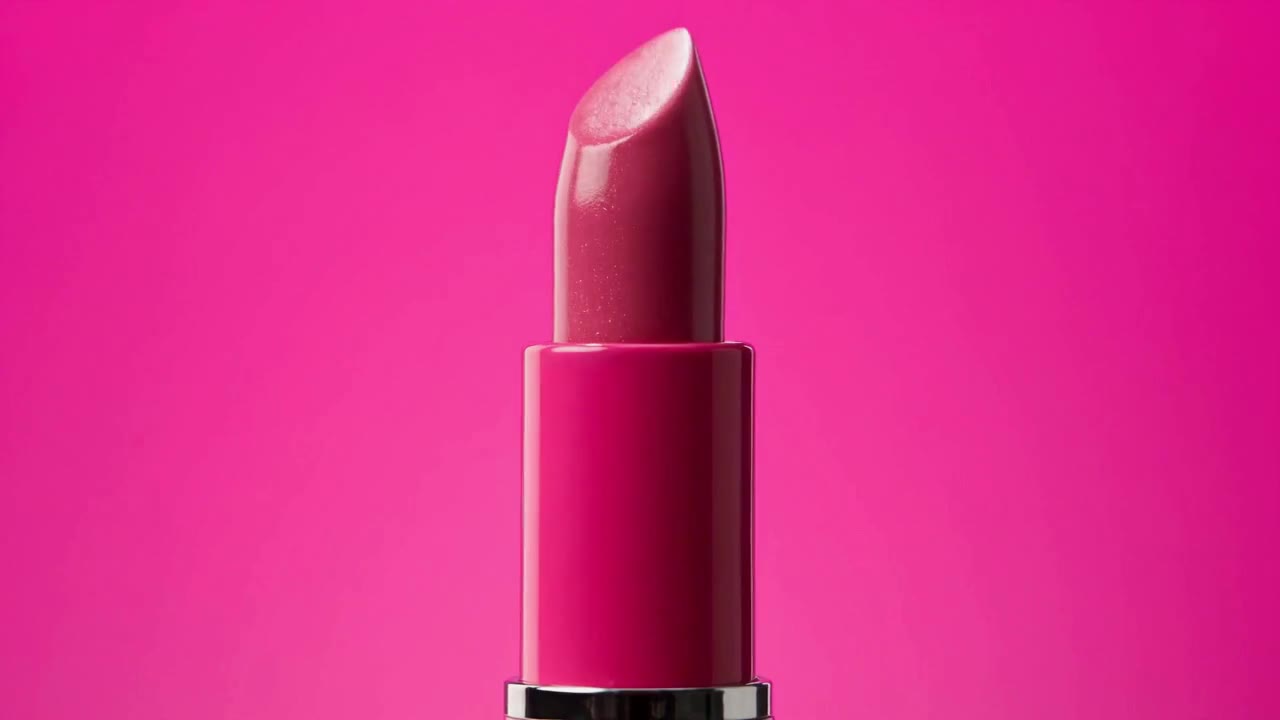
Beauty commercial for a fictional lipstick brand "Lumière Pop," 15 seconds, 9:16 vertical, multi-shot edit with quick, rhythmic cuts. Every shot uses seamless, solid, saturated color backgrounds, soft even beauty lighting, luminous dewy skin and glossy lips. Three lipstick shades: coral orange, fuchsia pink, soft peach. Shot 1 (0–1.5s): Extreme macro close-up of a glossy hot pink lipstick tube against a magenta background. The bullet twists up slowly, revealing the angled fuchsia tip, light gliding across its creamy surface. Shot 2 (1.5–3s): Quick cut to a young woman with a sleek low bun and gold drop earrings, wearing a fuchsia satin shirt, against a magenta background. Close-up as she glides the fuchsia lipstick across her lower lip in one smooth stroke. Shot 3 (3–4.5s): Extreme close-up of her lips pressing together, then parting into a soft smile, the color rich and glossy. Shot 4 (4.5–6s): Hard color cut to orange. A young man with tousled dark hair, wearing a crisp orange shirt, against a bright orange background, turns his head toward the camera and smirks, lips tinted with a sheer coral shade. Shot 5 (6–7.5s): Top-down shot of three lipstick bullets in coral, fuchsia and peach drawing thick, creamy swatch strokes across a white surface, each stroke landing in rhythm. Shot 6 (7.5–9s): Hard color cut to sky blue. A young woman with short curly hair and small pearl earrings, wearing a pale peach knit top, against a sky blue background, applies the soft peach lipstick while looking into a small handheld mirror, then glances at the camera. Shot 7 (9–10.5s): Slow-motion shot of the three lipsticks tumbling through the air against a split background of orange, magenta and sky blue, caps spinning off, catching the light. Shot 8 (10.5–13s): All three models stand together in a tight group against a solid magenta background, shoulder to shoulder, each turning toward the camera at a slightly different moment, smiling, with a gentle camera push-in. Shot 9 (13–15s): End card. The three lipsticks stand upright side by side, each on its own vertical color block of orange, magenta and sky blue, caps beside them. Clean minimal "Lumière Pop" logo appears below in simple white text. Style: modern K-beauty campaign aesthetic, bold color blocking, crisp sharp focus, flawless but natural skin texture, glossy plump lip finish. Fresh, playful, confident and high-end. Each character and product stays consistent across shots. @lumière_pop_lipstick
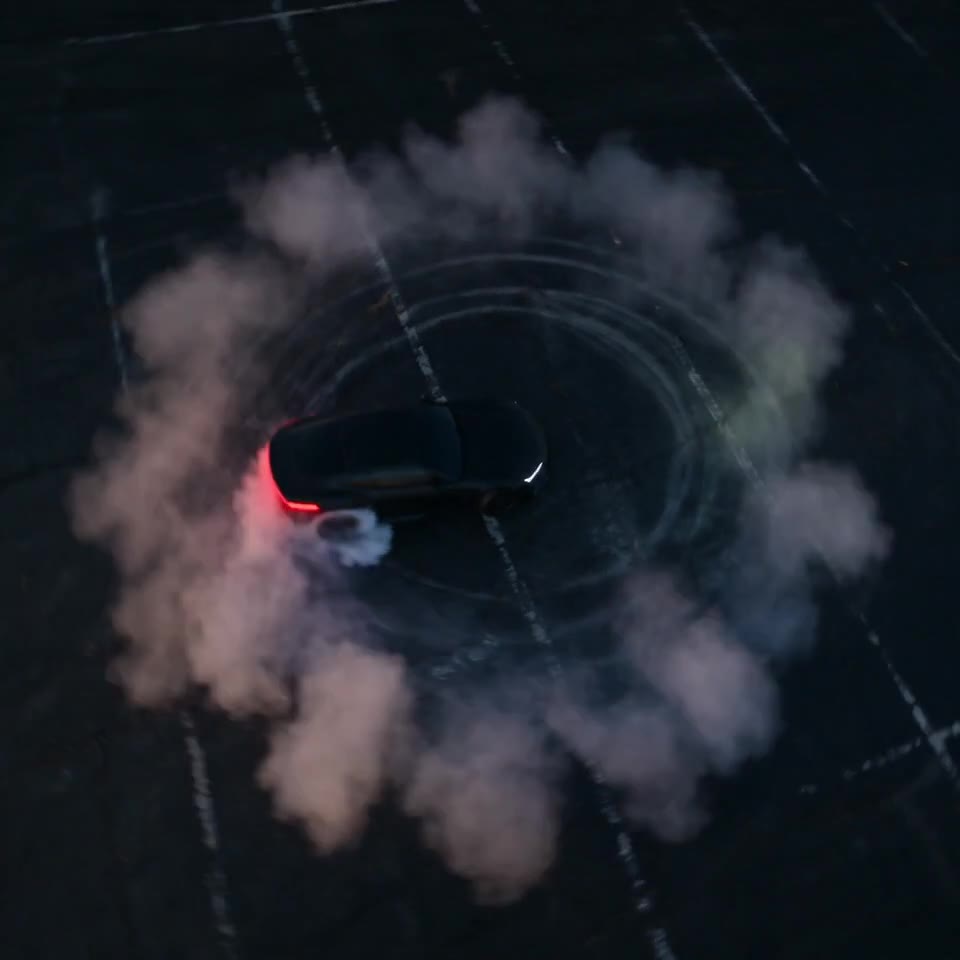
High-energy cinematic shot, 8 seconds, 16:9. A sleek matte-black sports car drifts in a tight continuous circle on an empty asphalt lot at dusk, tires smoking heavily, rear end sliding wide. The camera performs a fast, aggressive 360° orbit around the car, moving in the opposite direction of the drift to amplify the sense of speed. It begins high overhead in a top-down view, looking straight down at the car carving smoke rings into the asphalt, then sweeps downward in a smooth spiraling arc, dropping through a three-quarter angle to an extreme low ground-level perspective just inches above the asphalt, where the spinning tires and billowing smoke rush past the lens. The camera then rises again mid-orbit, completing the circle. Throughout the move, the car stays perfectly centered and locked in frame, like the camera is tethered to it. Camera motion is precise, controlled and fluid, with no shake, despite the extreme speed. Motion blur on the background and ground streaks, while the car remains crisp and sharp. Style: dramatic dusk lighting, warm orange sky against cool blue shadows, headlights and taillights glowing, smoke catching the light. High-contrast, cinematic color grade, ultra-detailed, commercial automotive ad quality.
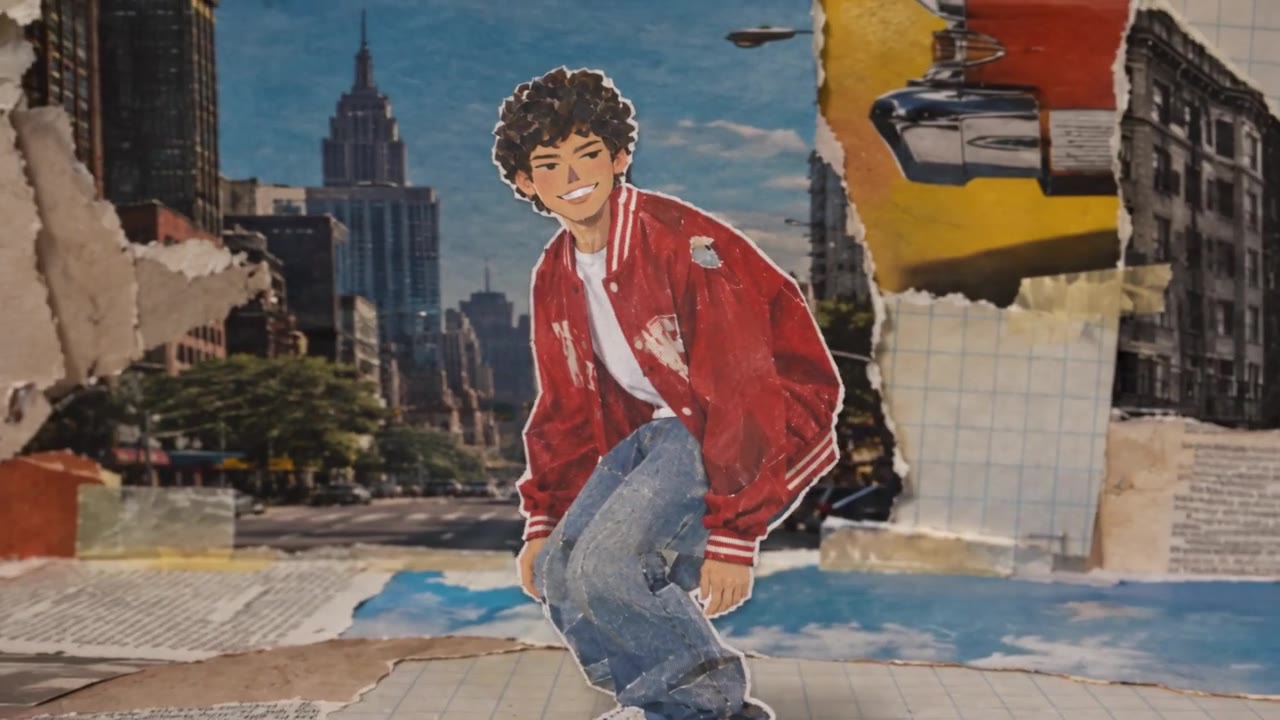
Animated magazine collage video, 8 seconds, vertical 9:16. Mixed-media stop-motion style made of torn and cut-out magazine scraps. A young man with messy curly hair, wearing an oversized red varsity jacket, a white t-shirt, baggy jeans and chunky sneakers, skates toward the camera on a skateboard, pops an ollie mid-frame, lands it, kicks the board up into his hand, then turns to the camera with a grin and a peace sign. His figure is built from cut-out magazine paper, with slightly mismatched textures: his jacket cut from a glossy sports page, his jeans from a faded denim ad, his hair from a dark printed photo, with visible halftone dots and white paper borders around his silhouette. His movement is smooth, fluid and cohesive, clearly following one continuous action. Around him, the world is a chaotic, layered collage that animates at a choppy 8 frames per second. Backgrounds swap rapidly between torn pieces of old magazine pages: city streets, skate park ramps, sunny skies, printed text columns, retro ads, and grid paper. Ripped paper edges, tape strips, staples and hand-cut letters in mismatched fonts pop in and out. Small paper stars, arrows, lightning bolts and scribbled doodles flicker around him, with a burst of cut-out "WOW!" lettering when he lands the ollie. Shadows under each paper layer give a tactile, physical depth, like it was shot frame by frame on a tabletop. Style: Y2K and 90s zine aesthetic, halftone print texture, slightly faded paper colors with bold pops of red, yellow and blue, visible paper grain and creases. Playful, energetic, handmade feel. The character stays consistent and recognizable in every frame while the collage around him constantly shifts.
Strengths
One generation can run from 4 to 30 seconds, long enough for a full exchange of dialogue or a scene that opens, builds and lands without a join.
Number the shots and give each its seconds, and Seedance 2.5 cuts between them in one clip, from a wide opening to a close-up, keeping the subject’s look across the cuts.
Dialogue, effects, ambience and music are generated with the picture, and ByteDance lists 11 languages for speech, from English and Chinese to Indonesian, Portuguese and Arabic.
On DreamBench, send a prompt to Seedance 2.5 as one clip on the Video page, or have it shoot every scene of a planned film from your references, and redo any scene.
At a glance
longest clip per generation
longest video on DreamBench
depending on your plan
top resolution
480p, 720p and 1080p
aspect ratios
1:1, 16:9, 9:16, 4:3 and 21:9
sound
Your choice, per video
The model
Seedance 2.5 is a video model from ByteDance’s Seed team, released on July 31, 2026, as the successor to Seedance 2.0. It generates picture and sound together in clips of 4 to 30 seconds, twice the 15 of Seedance 2.0, from a text prompt, images, video or audio. ByteDance built it to tell a short story in one generation: a clip can cut between linked shots, from a set-up through a turn to its ending, with the main subject keeping its look across the cuts.
ByteDance says it reworked how the model renders texture, skin, eyes, light and color, so the footage looks closer to live action. BytePlus, ByteDance’s cloud, lists 11 languages for prompts and speech: Chinese, English, Spanish, Indonesian, Malay, Thai, Arabic, Portuguese, Vietnamese, Japanese and Korean. In ByteDance’s own tools it also takes up to 30 images, 10 video clips and 10 audio clips as references, edits a video at a given second and extends one. ByteDance is candid about its limits: complex motion can look physically off, and scenes where several subjects interact are not yet fully stable.
On DreamBench you can use Seedance 2.5 in 2 ways. On the Video page, your prompt goes to the model as you wrote it and comes back as one clip of up to 30 seconds. In Film Studio, describe the video you want: DreamBench writes the scene plan, designs the cast or builds it from your reference images, has Seedance 2.5 make each scene and joins them into one video. If a scene misses, give it new direction and regenerate just that scene.
More from ByteDance Seed: Seedance 2.5 on ByteDance Seed
The details
What you get when you make videos with it on DreamBench, where one model makes every scene of a video.
| Made by | ByteDance Seed |
|---|---|
| Longest clip | 30 seconds per generation |
| Video length on DreamBench | Up to 30 seconds on Starter, 2 minutes on Plus and 5 minutes on Ultra and Studio |
| Resolution | 480p, 720p and 1080p |
| Aspect ratios | 1:1, 16:9, 9:16, 4:3 and 21:9 |
| Sound | On or off, your choice |
| Reference images | Up to 8 per video; the first 4 are included, then 43 credits each |
| Plans | Every plan |
| Credits | 31 per second at 480p, 57 per second at 720p and 127 per second at 1080p, plus 183 per video |
A 15-second 480p video with sound uses 648 credits. You always see the exact cost before you generate.
A Seedance 2.5 video, as the composer prices it.
648credits
Available from Starter. Starter’s 1,100 monthly credits make one video like this. You always see the exact cost before you generate.
Side by side
Seedance 2.5 beside the models people weigh it against, as each runs on DreamBench. Every cell comes from the same tables as the spec sheet above.
| Model | Longest clip | Resolution | Sound | Aspect ratios | Plans |
|---|---|---|---|---|---|
| Seedance 2.5ByteDance Seed | Up to 30 s | 480p, 720p, 1080p | On or off | 1:1, 16:9, 9:16, 4:3, 21:9 | Every plan |
| Seedance 2.0ByteDance Seed | Up to 15 s | 720p, 1080p, 4K | On or off | 1:1, 16:9, 9:16, 4:3, 21:9 | Every plan |
| Kling 3.0Kling AI | Up to 15 s | 720p, 1080p | On or off | 1:1, 16:9, 9:16, 4:3, 21:9 | Every plan |
| Veo 3.1Google DeepMind | Up to 8 s | 720p, 1080p, 4K | Always on | 16:9, 9:16 | Veo 3.1 on Plus, Ultra and Studio; Veo 3.1 Fast and Veo 3.1 Lite on every plan |
| Wan 3.0Alibaba Cloud | Up to 30 s | 720p, 1080p | Always on | 1:1, 16:9, 9:16, 4:3 | Every plan |
How it works
Step 1
Pick Seedance 2.5 in the composer, or press Create with Seedance 2.5 on this page.
Step 2
Write what should happen, or start from a template. Add reference images for the characters, products or places you want to see.
Step 3
DreamBench plans the scenes, designs the characters and places, generates each scene with Seedance 2.5 and joins them. Then change any scene you want to improve and keep the rest.
Prompt ideas
Start from one of these and change it however you like.
Widescreen 16:9, one 12-second clip in 3 linked shots, the same fisherman, harbor and dawn light in every shot. Shot 1 (0–4 s): wide shot of a small stone harbor at dawn, a blue fishing boat chugging in through low mist, gulls wheeling overhead. Shot 2 (4–8 s): medium shot on deck as an old fisherman in a yellow oilskin coils a rope and throws it to the quay. Shot 3 (8–12 s): close-up of his weathered hands knotting the rope round an iron bollard, then of his face breaking into a tired smile. Soft pink light on the horizon, cool blue shadows, natural film grain. The diesel engine, water lapping at the hull, gulls crying, the rope creaking. No music.
Square 1:1 product film, one 10-second clip in 2 linked shots. Shot 1 (0–5 s): a faceted glass perfume bottle of amber liquid stands on wet black stone; a single drop runs down the glass as the camera circles it slowly at label height. Shot 2 (5–10 s): macro close-up as a hand lifts the gold cap and a fine mist sprays into a beam of light, then the camera eases back to the whole bottle. Hard rim light from behind, deep shadows, glossy reflections, a polished advertising look. The soft click of the cap, the hiss of the spray, a slow, low synth melody.
Vertical 9:16, one continuous 12-second take with no cuts, on a city rooftop at sunset. A dancer in a loose white shirt and black pants stands still, then moves into a smooth hip-hop routine: slow body rolls, a single spin at 4 seconds, sharp arm hits on the beat and, at 10 seconds, a freeze pointing at the camera. The camera stays at chest height, drifting in a slow half circle around her. Warm orange backlight, long shadows, the skyline soft behind her. A punchy hip-hop beat, sneakers squeaking on concrete, the city humming below.
Widescreen 16:9, one 10-second clip in 2 linked shots at a night food stall in Jakarta, the same 2 friends and warm light in both. Shot 1 (0–5 s): medium shot as a young woman in a batik shirt slides a plate of satay across the counter and says warmly, in Indonesian: “Ini sate paling enak di kota.” Shot 2 (5–10 s): close-up of her friend, a young man in a denim jacket, who takes a bite, laughs and replies in Indonesian: “Kamu benar!” Strings of bulbs, smoke from the grill drifting through the light. Charcoal crackling, scooters passing, chatter from the street. No subtitles, no music.
Cinematic 21:9, one continuous 12-second take with no cuts, in the style of a nature documentary. In a snowy birch forest at first light, a red fox pads through deep snow, stops and tilts its head to listen, then at 8 seconds leaps and dives nose first into the drift, coming up with snow on its muzzle. The camera holds a low, steady telephoto shot from a distance, panning gently with the fox. Pale gold sun through the trees, blue shadows on the snow, the fox’s breath steaming. Snow crunching, wind in the branches, a crow calling far off. No music.
Classic 4:3, one 10-second clip in 2 linked shots at a small ramen bar. Shot 1 (0–5 s): overhead shot as a cook ladles steaming broth over noodles, lays slices of pork, half a soft-boiled egg and green onions on top, and slides the bowl forward. Shot 2 (5–10 s): close-up at bowl height as chopsticks lift the noodles, glistening and dripping, steam curling up into the light. Warm tungsten light, a dark wooden counter, rich, saturated color. The broth pouring, the bowl scraping on wood, a slurp, the bar’s quiet chatter.
Vertical 9:16 fashion film, one 10-second clip in 3 linked shots of the same model, coat and street. Shot 1 (0–3 s): wide shot as she walks toward the camera down a wet cobbled street at night in a long red wool coat. Shot 2 (3–7 s): tracking medium shot from the side, the coat swinging with each stride, her heels splashing through a puddle. Shot 3 (7–10 s): close-up as she stops, turns up her collar and looks straight into the lens. Neon reflections, rain lit from behind, glossy high-contrast color. Heels on cobbles, rain pattering, a slow, moody bass line.
Widescreen 16:9 in a Japanese hand-drawn anime style, one 12-second clip in 3 linked shots, the same girl and summer light in every shot. Shot 1 (0–4 s): wide shot of a country train platform beside green rice fields, heat shimmering over the tracks. Shot 2 (4–8 s): medium shot of a schoolgirl with a short black bob holding her straw hat down as the wind gusts, watching a little train pull in. Shot 3 (8–12 s): close-up as she smiles and says softly, in Japanese: “やっと来た。” Clean line art, soft watercolor backgrounds, towering white clouds. Cicadas buzzing, the train’s bell, wind through the rice. No subtitles.
Vertical 9:16 for a phone screen, one continuous 8-second selfie take with no cuts. A young man on a sunny beach in Rio holds the phone at arm’s length, grins and says, in Brazilian Portuguese: “Bom dia! Olha só essa vista.” He turns the camera to the sea and the mountains, then back to himself. Handheld at arm’s length, gently bobbing, a natural phone-camera look. He wears a green T-shirt, sunglasses pushed up on his head. Bright morning sun, turquoise water. His voice close to the microphone, waves breaking, beach vendors calling in the distance. No subtitles, no music.
Widescreen 16:9, one continuous 30-second take with no cuts, timed in seconds. A courier on a bicycle rides through a snowy market at dusk. 0–8 s: the camera rides alongside her as she weaves between stalls hung with lights. 8–16 s: she brakes, the back wheel skidding, and stops at a bakery door. 16–24 s: a small boy runs out, she hands him a box tied with string, and he lifts the lid and gasps. 24–30 s: the camera rises slowly to show the whole market glowing in the snow. Warm lamplight against blue dusk, falling snow, soft film grain. Snow crunching, a bicycle bell, distant carols, the boy’s laugh.
Still have questions?
Seedance 2.5 is a video model from ByteDance’s Seed team, released on July 31, 2026, as the successor to Seedance 2.0. It generates picture and sound together in clips of 4 to 30 seconds, from a text prompt and reference images, video or audio, and it can cut between linked shots inside one clip. On DreamBench it renders at 480p, 720p or 1080p, with sound on or off.
There are 2 ways. On the Video page, pick Seedance 2.5, write your prompt and choose a length from 4 to 30 seconds: your words go to the model as written and come back as one clip. In Film Studio, describe the video you want and add reference images if you have them: DreamBench plans the scenes, has Seedance 2.5 make each one and joins them, and you can redo any scene.
Seedance 2.5 is priced in credits for each second of video: least at 480p, more at 720p and most at 1080p, and the same with sound on or off. A clip on the Video page adds a small base amount; a film adds a base amount for planning it. Credits come with a paid subscription, Seedance 2.5 is on all of them, no ByteDance account or API key is needed, and you see the exact cost before you generate.
Seedance 2.5 doubles the longest clip from 15 to 30 seconds and takes up to 30 reference images, 10 video clips and 10 audio clips, where 2.0 takes 9, 3 and 3. It follows timings written in whole seconds, where 2.0 follows shot numbers, and ByteDance reworked its skin, eyes, texture and light, so the same prompt looks different on each. Both generate sound and can cut between shots inside a clip.
One Seedance 2.5 clip runs 4 to 30 seconds. On DreamBench’s Video page you get exactly that: one clip, at the length you pick. In Film Studio a video can run longer, up to 30 seconds on Starter, 2 minutes on Plus and 5 minutes on Ultra and Studio, because DreamBench cuts it into scenes of 3 to 12 seconds and joins them. ByteDance’s own tools can also extend a clip.
Seedance 2.5 renders at 480p, 720p or 1080p on DreamBench. All 3 are on every subscription, and 1080p is the highest the model renders. 480p costs the least per second, so it suits a first try of an idea or a timing; 720p suits a social clip watched on a phone; choose 1080p for a final cut or a bigger screen. Pick the resolution in the composer before you generate.
On DreamBench there are 5: square 1:1, widescreen 16:9, vertical 9:16, classic 4:3 and cinematic 21:9. Pick one in the composer, or name it at the start of your prompt and DreamBench sets it for you. ByteDance’s API also lists a taller portrait frame and an adaptive setting that follows the prompt or the input picture; DreamBench doesn’t offer those for Seedance 2.5.
Yes. With sound on, Seedance 2.5 makes dialogue, effects, ambience and music with the picture, timed to what happens on screen; switch it off for picture only, at the same price. BytePlus lists 11 languages for prompts and speech: Chinese, English, Spanish, Indonesian, Malay, Thai, Arabic, Portuguese, Vietnamese, Japanese and Korean. Put each spoken line in quotation marks and name the language it is spoken in.
Yes. One Seedance 2.5 clip can cut between linked shots, and ByteDance pitches it at a short story with a set-up, a turn and an ending, the main subject keeping its look across the cuts. Number the shots and give each its seconds, such as “Shot 2 (4–8 s)”. On DreamBench’s Video page your shots reach the model as you wrote them; in a film, a scene’s clip can cut too.
On DreamBench, up to 8 per video, each tagged as a character, creature, location or prop and named in your prompt with @ and its label. DreamBench builds a sheet from each and sends it with every scene it appears in. ByteDance’s API takes up to 30 images, 10 video clips and 10 audio clips in one generation. The Video page takes words only, so references belong in Film Studio.
No. ByteDance doesn’t let Seedance 2.5 take a reference that shows a real person’s face, to protect people’s likeness, and DreamBench suggests another model when one is refused. ByteDance accepts faces from its own models, from preset digital characters and from real people who verified and authorized their likeness. So describe the person instead: if Seedance flags a character DreamBench designed from your words, DreamBench registers it with ByteDance’s asset library and tries again.
Yes. The model can start a clip from an image as its first frame, or work from reference images of a character, product or place. On DreamBench, add your images in Film Studio and tag them: DreamBench builds a sheet from each and sends it with every scene, so your product, place or character appears where your prompt puts it. The Video page takes words only, and no reference may show a real face.
The model does: ByteDance’s API takes 1 image as the first frame, or 2 as the first and last frames, and the video takes the first image’s shape. DreamBench’s composer has no place to add your own first or last frame. Add the picture as a reference image instead and DreamBench builds the scenes from it, and describe in your prompt how the clip should end.
On DreamBench, videos made on Starter carry a small DreamBench watermark, and Plus, Ultra and Studio remove it. ByteDance’s API can add a mark in the lower-right corner saying a video is AI-generated, an option that stays off unless asked for, and DreamBench doesn’t ask for it. The watermark depends only on your DreamBench subscription, not on the resolution or the length.
Yes. DreamBench’s Terms of Use allow personal and commercial use of what you make, including ads, product videos and client work. You need the rights to anything you upload, such as product photos or a logo, and generated videos may not be exclusive to you or protected by copyright. Starter videos carry a DreamBench watermark, which Plus and above remove.
ByteDance suggests a one-line summary first, then the action shot by shot or second by second, then what stays the same throughout. Open with the frame and the length, number the shots with their seconds, give each a size and a camera move, describe the light and the look, and end with the sound, spoken lines in quotation marks. Ask for “no subtitles” or “no music” if you want none.
Usually too much happens in too little time: ByteDance warns that a crowded stretch can come out with extra cuts or missing beats. Give each shot one main action and a few seconds, keep the motion simple, and avoid several people interacting at once, which ByteDance says is not yet fully stable. Lettering can come out misspelt. In a film, redo the scene that missed and keep the rest.
Inside one clip, describe the subject once and add a line asking for the same subject, place and light in every shot. Across a film, give DreamBench a reference image of each character, tagged as a character, and name them with @ in your prompt; DreamBench builds a sheet from each and sends it with every scene they appear in. Keep each character’s description the same throughout.
ByteDance’s API has one: it makes a 480p preview, then turns that same preview into a final video. DreamBench doesn’t use it. Instead, 480p is a resolution you can choose for any Seedance 2.5 video, at the lowest price per second, to test an idea; then generate it again at 720p or 1080p. That is a new take, so the idea carries over but the details can differ.
They do different jobs. Seedance 2.5 runs to 30 seconds a clip and can cut between shots inside it; Kling 3.0 runs to 15 seconds in one continuous take, with lip-synced dialogue in 5 languages; Veo 3.1 runs to 8 seconds, always with sound, in widescreen or vertical. Seedance 2.5 and Veo 3.1 are on the Video page, and Kling 3.0 runs in Film Studio.
Available on every plan. Video length depends on the plan: up to 30 seconds on Starter, 2 minutes on Plus and 5 minutes on Ultra and Studio.
Yes. Every film on this page is a published DreamBench template made with Seedance 2.5, shown with the prompt that made it. No film or still from another model appears on this page.
Keep exploring
ByteDance Seed
Follow characters through dialogue and action in clips of up to 15 seconds, guided by reference images.
Up to 15-second clips · 720p / 1080p / 4K · Sound
Kling AI
Make movement the focus, from sport and dance to vehicles, with lip-synced dialogue in 5 languages.
Up to 15-second clips · 720p / 1080p · Sound
Google DeepMind
Shape realistic widescreen or vertical scenes with dialogue and sound, on Veo 3.1, Fast or Lite.
Up to 8-second clips · 720p / 1080p / 4K · Sound
Alibaba Cloud
Build scenes with dialogue, ambience and sound effects, in single clips of up to 30 seconds.
Up to 30-second clips · 720p / 1080p · Sound
Compare
Seedance 2.5 and Kling 4.0 side by side: languages, motion, lettering, faces, 480p, sound and credits.
Read the comparisonSeedance 2.5 against 2.0: clip length, timestamps, 480p and 4K, references, look, credits and prompting.
Read the comparisonSeedance 2.5 or Veo 3.1: 30-second linked shots or 4K single shots, sound, languages, references and plans.
Read the comparisonWan 3.0 or Seedance 2.5: single takes or linked shots, sound always on or optional, and where each runs.
Read the comparisonWith any DreamBench plan
The prompt generator builds a shot-list prompt for Seedance 2.5 from a few choices and hands it to the composer.
Where the facts come from
Seedance 2.5 is developed by ByteDance Seed. DreamBench is an independent platform that offers Seedance 2.5 alongside other models, and isn’t affiliated with or endorsed by ByteDance Seed. The facts on this page were last checked on . Seedance 2.5 and ByteDance Seed are trademarks of their owners, used here only to name the model and its developer.
Make your video
Describe the video you have in mind. DreamBench plans the scenes, and you change the ones you want to improve.