dreambench cmuwcyj0w000h01m7txmd7of2
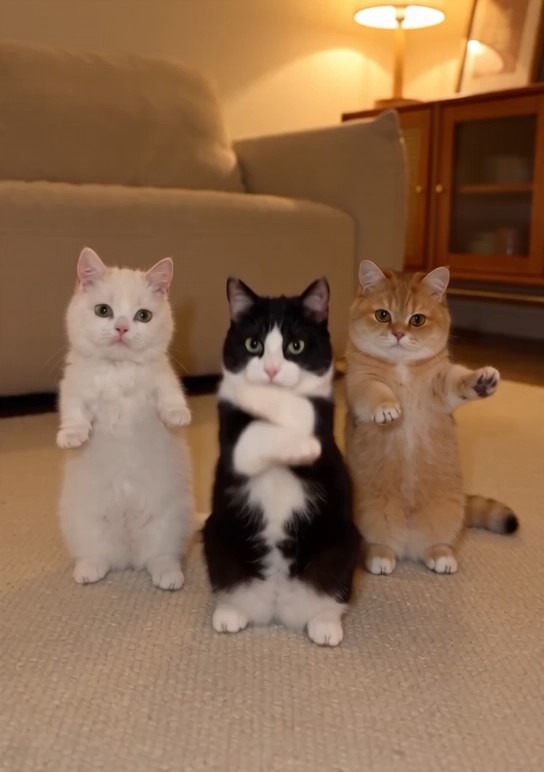
Change the background to a different background, but then swap the 3 cats for @yickshuncat , @cat_two and @cat_one.

Video model · by ByteDance Seed
Seedance 2.0 makes video with sound, in clips of up to 15 seconds that can cut between shots. Pick it from the model menu in DreamBench’s composer: DreamBench plans your video, Seedance 2.0 makes every scene, and you can redo any scene on its own.
Available on every plan · Released February 2026
Start with a prompt
Write a prompt for Seedance 2.0, choose the aspect ratio, length, quality and sound, and see exactly how many credits the video uses before you create it.
Generating this uses 693 credits
Available from Starter. See plans and credits
What a video prompt carries, part by part. The check marks are simple tests of what you typed, not a promise of how the video turns out.
Subject and action first — In your prompt
The setting in one clause — Tip
Where and when: a street market on a wet evening. One place and one stretch of time; a new place is a new clip.
The light and where it comes from — Tip
One shot size and one camera move — Tip
The look, once — Tip
Behavior, not mood — Tip
What is heard — In your prompt
The length and the frame — Set by the settings
Set by the aspect ratio and length pills.
A line in quotes is read as something someone says.
How to write an AI video promptA video made with Seedance 2.0 on DreamBench, and the exact prompt that made it.
720P · 9:16 · 11S · Sound
Change the background to a different background, but then swap the 3 cats for @yickshuncat , @cat_two and @cat_one.
The length is the whole video’s: DreamBench plans the scenes, makes each one with Seedance 2.0 and joins them. Create with Seedance 2.0 opens Film Studio with your prompt and every setting in place.
Examples
Published templates, each with the prompt that made it. Use one as it is or make it your own.
Change the background to a different background, but then swap the 3 cats for @yickshuncat , @cat_two and @cat_one.
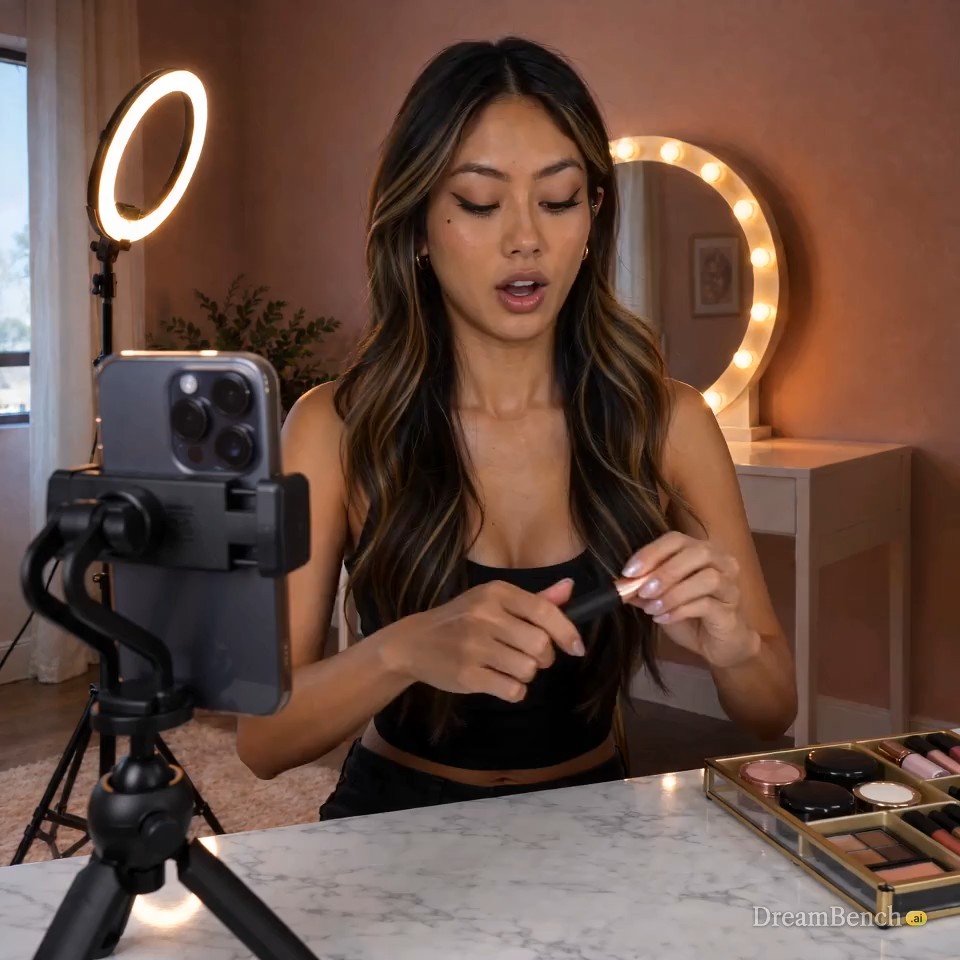
Create a ugc product ad video with an ABG baddie teaching users how to draw a mascara/eyeliner promoting your brand make sure the video is natural with no hallucination.
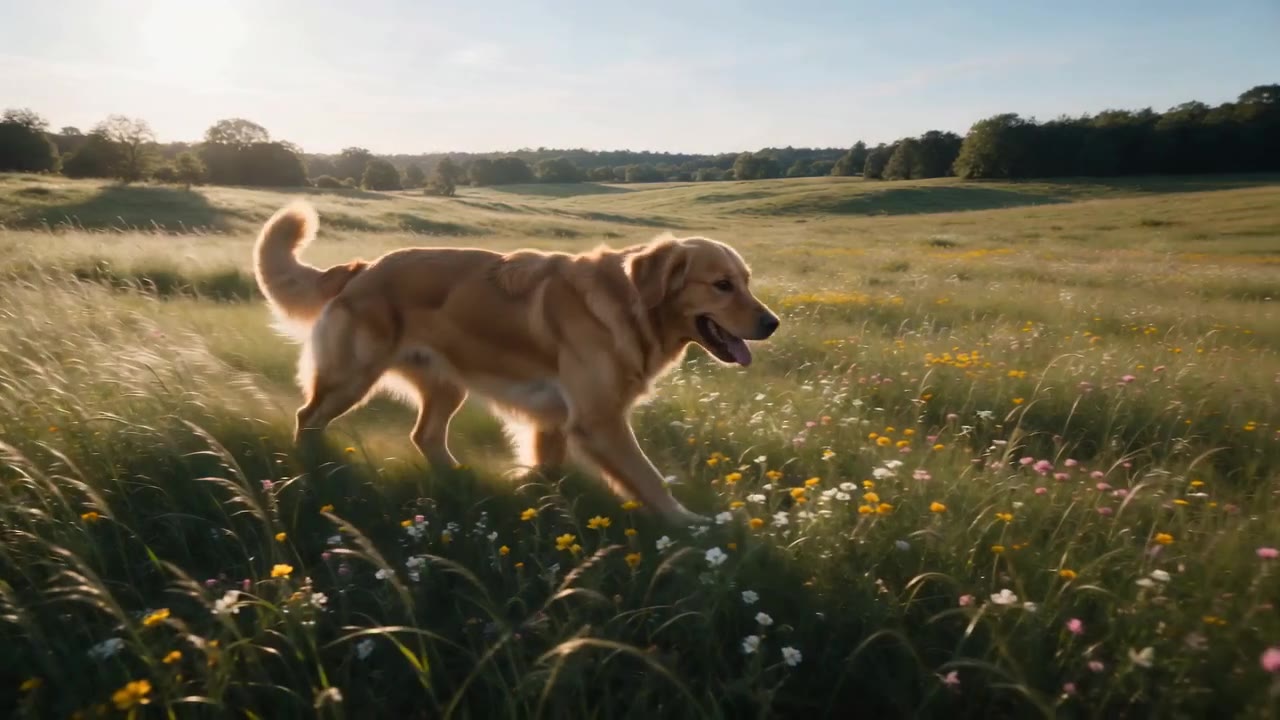
A golden retriever running through a sunlit meadow, tracking shot following alongside, golden hour lighting, cinematic and warm, shallow depth of field with wildflowers in foreground.
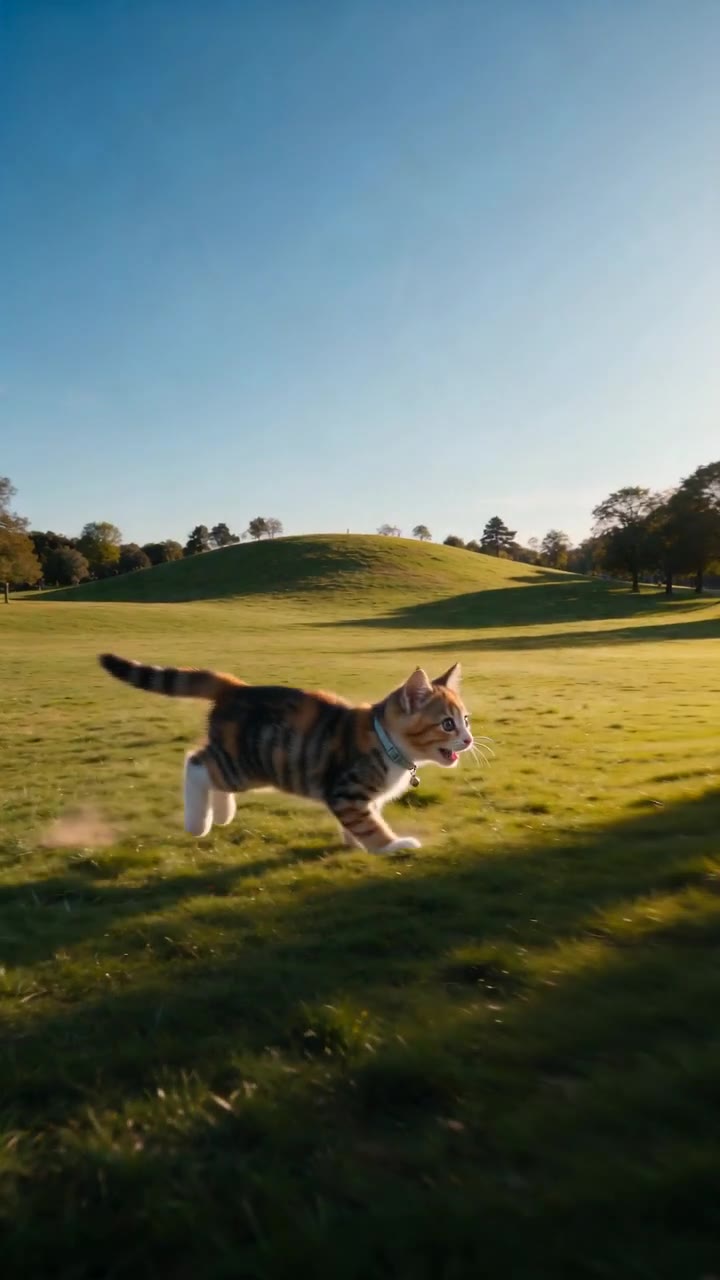
An over-the-top cinematic trailer starring the uploaded pet: @pet . Epic slow-motion run across a sunlit park, ears and fur streaming. A heroic head-turn to camera on a hilltop, wind machine implied. The dramatic treat catch — leap, snap, landing — played like a blockbuster stunt. Final shot: the hero curled in a blanket fort, one eye opening at the lens. The pet stays exactly on-reference in every shot — same markings, same colors, same face.
Sports anime. The anchor leg of a relay final: a runner takes the baton in a clean slap and explodes down the back straight, speed lines shearing off her spikes. The rival is stride for stride in the next lane, neither giving a centimeter — held frame on both faces at the bend, jaws set. Her coach roars from the infield: 「ここからだ!!」("It starts HERE!!") She kicks — the world blurs to streaks around her — and the two hit the tape in a lean so close the frame freezes on it, chests across the line, the crowd's roar cutting to a heartbeat of silence before it erupts.
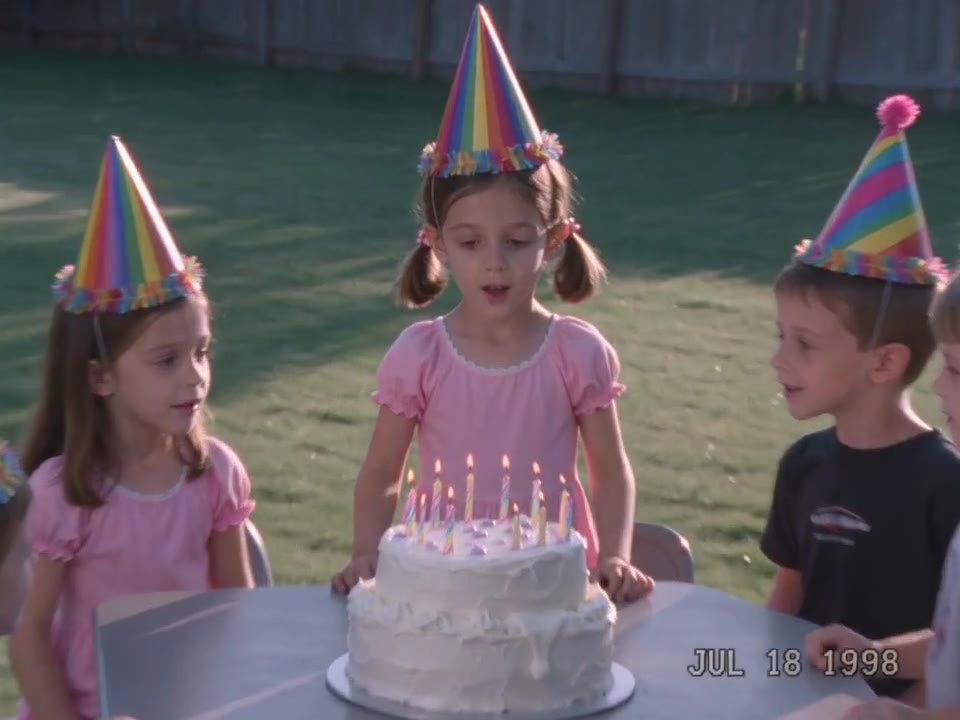
Grainy home video from an old camcorder, the way a dad filmed it in the late nineties: a kid's backyard birthday, afternoon sun, a folding table with a lopsided cake. The tape picks up mid-zoom — the auto-zoom creeps too far into the birthday girl's face and pulls back, the horizon tilts, someone behind the camera says "get the cake, get the cake." Five kids in paper hats crowd the table, she blows the candles out on the second try, everyone yells at once, and the frame shakes when the person filming laughs. Soft low-resolution picture, washed tape color, a white camcorder date stamp burned into the lower right corner reading exactly "JUL 18 1998". No filters, no polish — a tape somebody kept.
Strengths
One generation can hold a short sequence, say an establishing view, a two-shot and a reaction, and the model works out the camera moves from your description.
Music, ambience, voices and small sounds like rustling fabric are created together with the images, in stereo, and timed to what happens on screen.
ByteDance says it handles scenes where people move fast and interact, like pair figure skating or a sports match with several players, keeping the motion stable and physically plausible.
A reference image can set a character’s look, a location or a prop, and Seedance 2.0 carries it into the video while keeping the subject consistent.
At a glance
longest clip per generation
longest video on DreamBench
depending on your plan
top resolution
720p, 1080p and 4K
aspect ratios
1:1, 16:9, 9:16, 4:3 and 21:9
sound
Your choice, per video
The model
ByteDance’s Seed team launched Seedance 2.0 in February 2026 as a model that generates picture and sound together. A single clip runs from 4 to 15 seconds and can hold several shots, so a scene can open wide and cut to a close-up in one generation.
ByteDance built it around direction: it follows detailed prompts closely, can carry a character’s look, a setting or a prop over from reference images, and keeps a subject consistent as the action unfolds. Its sound is stereo, with music, ambience and voices generated in time with the picture.
ByteDance is open about its limits: fine detail can waver, full photorealism and lively motion still need work, consistency across several subjects and text in the picture can slip, and the sound occasionally distorts. In July 2026 ByteDance released Seedance 2.5, which stretches a single generation to 30 seconds.
More from ByteDance Seed: Seedance 2.0 on ByteDance Seed
The details
What you get when you make videos with it on DreamBench, where one model makes every scene of a video.
| Made by | ByteDance Seed |
|---|---|
| Longest clip | 15 seconds per generation |
| Video length on DreamBench | Up to 30 seconds on Starter, 2 minutes on Plus and 5 minutes on Ultra and Studio |
| Resolution | 720p, 1080p and 4K (4K on Plus, Ultra and Studio) |
| Aspect ratios | 1:1, 16:9, 9:16, 4:3 and 21:9 |
| Sound | On or off, your choice |
| Reference images | Up to 8 per video; the first 4 are included, then 43 credits each |
| Plans | Every plan |
| Credits | 34 per second at 720p, 86 per second at 1080p and 170 per second at 4K, plus 183 per video |
A 15-second 720p video with sound uses 693 credits. You always see the exact cost before you generate.
A Seedance 2.0 video, as the composer prices it.
693credits
Available from Starter. Starter’s 1,100 monthly credits make one video like this. You always see the exact cost before you generate.
Side by side
Seedance 2.0 beside the models people weigh it against, as each runs on DreamBench. Every cell comes from the same tables as the spec sheet above.
| Model | Longest clip | Resolution | Sound | Aspect ratios | Plans |
|---|---|---|---|---|---|
| Seedance 2.0ByteDance Seed | Up to 15 s | 720p, 1080p, 4K | On or off | 1:1, 16:9, 9:16, 4:3, 21:9 | Every plan |
| Seedance 2.5ByteDance Seed | Up to 30 s | 480p, 720p, 1080p | On or off | 1:1, 16:9, 9:16, 4:3, 21:9 | Every plan |
| Veo 3.1Google DeepMind | Up to 8 s | 720p, 1080p, 4K | Always on | 16:9, 9:16 | Veo 3.1 on Plus, Ultra and Studio; Veo 3.1 Fast and Veo 3.1 Lite on every plan |
| Kling 3.0Kling AI | Up to 15 s | 720p, 1080p | On or off | 1:1, 16:9, 9:16, 4:3, 21:9 | Every plan |
How it works
Step 1
Pick Seedance 2.0 in the composer, or press Create with Seedance 2.0 on this page.
Step 2
Write what should happen, or start from a template. Add reference images for the characters, products or places you want to see.
Step 3
DreamBench plans the scenes, designs the characters and places, generates each scene with Seedance 2.0 and joins them. Then change any scene you want to improve and keep the rest.
Prompt ideas
Start from one of these and change it however you like.
Early morning at a busy fish market. A young cook points at the last octopus on the ice and asks the old fishmonger, “Is that one still fresh?” He grins: “Caught it before you woke up.” Close-up on the scale as he weighs it, then a wide shot as they shake hands across the counter. Gulls overhead, ice being shoveled, the crowd’s chatter.
A skateboarder drops into an empty concrete bowl at golden hour. The camera follows low behind her as she carves the wall, pops out over the lip, grabs the board in mid-air and lands clean. Cut to her friend on the deck, whooping and filming on his phone. Wheels roaring on concrete, the clack of the tail, distant traffic.
Hand-painted watercolor animation, 3 shots in 15 seconds. At dusk, a girl and her grandfather set a paper lantern boat on a village river. First, their hands lower it onto the water. Then the boat drifts past reeds and fireflies as the light fades. Last, they sit side by side on the bank, her head on his shoulder. A soft bamboo flute, crickets, lapping water.
Still have questions?
Seedance 2.0 is a video model that ByteDance’s Seed team released in February 2026. It generates picture and sound together, each clip runs up to 15 seconds and can cut between several shots, and reference images can guide how characters, places and props look.
A single Seedance 2.0 generation runs up to 15 seconds. DreamBench strings several of them together as the scenes of one video, so a video can run up to 5 minutes depending on your plan.
720p, 1080p or 4K, your choice. At 720p DreamBench renders with Seedance 2.0 Fast, the variant ByteDance designed for speed, and at 1080p and 4K with the full Seedance 2.0 model. You can frame it square (1:1), landscape (16:9 or cinematic 21:9), portrait (9:16) or 4:3; 4K comes in 16:9 or 9:16.
Yes. Seedance 2.0 makes 4K video on DreamBench in widescreen (16:9) or portrait (9:16), on the Plus, Ultra and Studio plans, using the full Seedance 2.0 model; 720p renders on Seedance 2.0 Fast, the variant ByteDance designed for speed. The table on this page shows the 4K rates with sound on or off.
Yes. It generates stereo sound with the picture, including dialogue, music, ambience and effects. Sound is optional: turn it off in the composer for a silent video, at the same rate.
No. Seedance 2.0 rejects reference images that show a real person’s face because ByteDance’s API does not accept them. On DreamBench, describe the person in your prompt or let DreamBench design the character instead; if a video needs that reference, DreamBench suggests another model.
Credits are charged per second of video, with a base amount per video, and the per-second rate drops when sound is off. The table on this page lists the current rates, and the composer shows the exact cost before you generate.
Yes. On DreamBench, each Seedance 2.0 video uses credits, which come with a paid plan, and Seedance 2.0 is on every plan. A second costs the same with sound on or off, and the composer shows the exact cost before you generate. ByteDance sells Seedance 2.0 by the second through its own API, at its own rates.
Yes. DreamBench runs Seedance 2.0 for you, so you need no ByteDance account, app or API key: Seedance 2.0 is in the composer’s model menu on every plan, at 720p, 1080p or 4K, with sound on or off. DreamBench runs in the browser on a phone, tablet or computer (Android, iPhone, Mac, Windows), with nothing to install.
Seedance 2.5 is ByteDance’s newer model: one generation runs up to 30 seconds, where Seedance 2.0 stops at 15, and ByteDance reworked how it renders texture, skin and light. Both make sound with the picture and can cut between shots within a clip. On DreamBench, Seedance 2.0 renders 4K on Plus and above.
No. ByteDance offers Seedance 2.0 through its own platform and API and has not published the model’s weights; its Hugging Face organization lists no Seedance model. You need no GPU or setup to use it: on DreamBench you pick it from the composer’s model menu.
Yes, from reference images of a character, prop or place, up to 8 per video, as long as none shows a real person’s face. ByteDance’s own tools also accept video and audio clips as references; on DreamBench each scene is made from your prompt and reference images.
Give it a subject, one action, the setting, one camera move, the light and a style word, then the sound. For a clip with several shots, write the shots in order. Put spoken lines in quotation marks and say what else should be heard, because Seedance 2.0 generates the soundtrack from the prompt.
ByteDance says fine detail can waver, text in the picture and consistency across several subjects can slip, and the sound occasionally distorts. It refuses reference images with a real person’s face. If a scene shows one of these, give it new direction and regenerate only that scene; the rest of the video stays as it is.
On DreamBench, Starter videos carry a small DreamBench watermark, which Plus, Ultra and Studio remove. ByteDance’s own pages for Seedance 2.0 don’t describe a watermark on its output.
Seedance 2.0 and Kling 3.0 both run to 15 seconds a clip with optional sound; Veo 3.1 runs to 8 seconds with sound in every clip. Seedance 2.0 and Veo 3.1 render 4K on Plus and above; Kling 3.0 renders up to 1080p. Seedance 2.0 refuses real faces in references. The compared table on this page lists the credits, and each model’s own page is linked below.
Yes. DreamBench’s Terms of Use allow personal and commercial use, including ads and client work. You need the rights to anything you upload.
Available on every plan. Video length depends on the plan: up to 30 seconds on Starter, 2 minutes on Plus and 5 minutes on Ultra and Studio.
5: 1:1, 16:9, 9:16, 4:3 and 21:9. Pick the ratio in the composer, or name it in the prompt and DreamBench sets it for you.
Press Create with Seedance 2.0, or pick it in the composer, and describe the video you have in mind. DreamBench writes the scene plan, generates every scene with Seedance 2.0 and joins them into one video. Then give any scene new direction and keep the rest.
Yes. Every film on this page is a published DreamBench template made with Seedance 2.0, shown with the prompt that made it. No film or still from another model appears on this page.
Keep exploring
ByteDance Seed
Tell a short story in one clip of up to 30 seconds, cut into linked shots, with sound made with the picture.
Up to 30-second clips · 480p / 720p / 1080p · Sound
Google DeepMind
Shape realistic widescreen or vertical scenes with dialogue and sound, on Veo 3.1, Fast or Lite.
Up to 8-second clips · 720p / 1080p / 4K · Sound
Kling AI
Make movement the focus, from sport and dance to vehicles, with lip-synced dialogue in 5 languages.
Up to 15-second clips · 720p / 1080p · Sound
Compare
With any DreamBench plan
Turn one photo into a clip made by Seedance 2.0, or write a prompt for it with the prompt generator.
Where the facts come from
Seedance 2.0 is developed by ByteDance Seed. DreamBench is an independent platform that offers Seedance 2.0 alongside other models, and isn’t affiliated with or endorsed by ByteDance Seed. The facts on this page were last checked on . Seedance 2.0 and ByteDance Seed are trademarks of their owners, used here only to name the model and its developer.
Make your video
Describe the video you have in mind. DreamBench plans the scenes, and you change the ones you want to improve.